







 Shopify
 Stripe
 Slack
 Notion
 Google Workspace
 Confluence


8 Best Proactive Customer Service Tools in 2026, Scored on a Public Rubric


The best proactive customer service tools in November 2026 are Zendesk (proactive messages on every Suite plan), Intercom and Crisp for multichannel outbound, LiveChat and Tidio for website chat that starts itself, Gladly for agent-run outreach, and Statuspage and AfterShip for one-way incident and shipping alerts. We scored eight tools on channels, targeting, where replies land, price and volume caps, all from each vendor's own page on November 22, 2026.
Key takeaways
- Zendesk scores 9 of 10: proactive messages come with every Suite plan from Team at US$55 an agent a month, with up to 140 messages on the Web Widget and mobile SDK.
- Intercom's outbound messages sit in the Proactive Support Plus add-on, from $99 a workspace a month with 500 messages included and extra messages charged.
- LiveChat's Essential plan at $19 a seat includes 3 proactive campaigns and 1,000 impressions; Growth at $79 raises that to 30 campaigns and 10,000.
- Statuspage and AfterShip send one-way alerts: Statuspage's free plan reaches 100 subscribers, and AfterShip Tracking Essentials starts at $9 a month for up to 100 shipments.
- Every proactive message invites a reply, so the tool that sends it should drop that reply into the queue your team already works.

The proactive customer service tools at a glance
| # | Tool | Score | What it sends first | Channels | Entry price (checked Nov 22, 2026) |
|---|---|---|---|---|---|
| 1 | Zendesk | 9/10 | Targeted in-app and web messages | Web Widget, mobile SDK | Suite Team US$55 an agent a month (annual) |
| 2 | Crisp | 8/10 | Multistep campaigns and chat triggers | Email, SMS, chat, WhatsApp | Mini $45 a month per workspace |
| 2 | Intercom | 8/10 | Outbound chats, banners, tours, push, Series | Messenger, in-product, push, email | Proactive Support Plus from $99 a month, plus seats |
| 4 | LiveChat | 7/10 | Proactive chat campaigns | Website chat | $19 a seat a month (annual) |
| 4 | Tidio | 7/10 | Flows that start a chat from site behavior | Website chat | Starter $33 a month |
| 6 | AfterShip | 6/10 | Shipping, delay and exception alerts | Email, SMS | Essentials from $9 a month (annual) |
| 6 | Gladly | 6/10 | Agent-run outreach campaigns | Chat, voice, SMS, email | Not published |
| 6 | Statuspage | 6/10 | Incident and maintenance notices | Email, Slack, Teams; SMS and webhooks from $99 | Free for 100 subscribers |
Ties are listed alphabetically. Macha isn't a proactive messaging tool, so it sits outside the ranking; its section below covers the replies these tools generate.
What counts as a proactive customer service tool?
Proactive support means your team speaks first: before the customer notices a delay, hits an error or gives up on a checkout. Vendors sell three different things under the label, and they don't compete with each other as much as roundups suggest:
- On-site and in-app messages that fire on behavior. A visitor sits on the returns page for 40 seconds and a chat opens. Zendesk, Intercom, LiveChat, Tidio and Crisp do this.
- Event notifications that fire on something outside the customer's session: a carrier scan, a failed payment, an outage. AfterShip and Statuspage do this, one way.
- Agent-run outreach, where a person or a campaign contacts a list of customers by SMS, email or phone. Gladly is built around this, and Crisp's campaigns cover part of it.
The mechanism that matters for a support team is the same in all three: a proactive message is a conversation you started, and a share of the people who get it will answer. A delay notice to 2,000 customers that draws a 5% reply rate is 100 new conversations in an afternoon. A tool that sends the notice but drops the replies into an unwatched inbox has moved the work rather than removed it. That's why "where do replies land" is one of our five criteria.
How did we score proactive customer service tools?
Each tool gets 0, 1 or 2 points on five criteria, for a total out of 10. We scored from public pages only and dated every check.
- Proactive channels. 2 = three or more channels a proactive message can go out on. 1 = two. 0 = one.
- Targeting. 2 = documented conditions on user behavior, events or customer data. 1 = lists, campaigns or a single event type. 0 = manual sends only.
- Where replies land. 2 = a reply comes back as a conversation in the same inbox agents work. 1 = through an integration. 0 = one-way, or the page doesn't say.
- Public price. 2 = the plan that includes proactive messaging has a published price. 1 = a published price, but proactive is an add-on or isn't tied to a plan. 0 = sales only.
- Volume on the entry plan. 2 = no cap stated on proactive messages, or a cap high enough not to matter for a small team (over 100 messages). 1 = a tight cap, or the page doesn't say. 0 = not on the entry plan.
A tool needs to send the first message itself to qualify. Help desks whose only proactive feature is a marketing integration aren't here, and neither are pure email marketing platforms.
Where does Macha fit?
Macha: AI agents that answer what proactive messages start (our product)
Macha doesn't send campaigns or pop chats on your website, so it isn't scored against the tools below. It runs AI agents inside the help desk you already use, and it's the piece that handles the replies. Macha works on Zendesk, Freshdesk, Gorgias, Front, Gladly, Crisp, HubSpot or Intercom.
Say your tracking tool sends a delay alert, and customers reply "so when will it arrive?" On Gladly, a Macha agent starts automatically on a new conversation or a new customer message, looks the order up in Shopify, and answers on the customer's channel, or drafts the answer as an internal note for review. Gladly is also the desk where the Macha connector can send an outbound message itself, so an agent can contact a customer first when its instructions say to. Scheduled triggers are included on every Macha plan, which lets an agent run on a timetable rather than waiting for an inbound message.
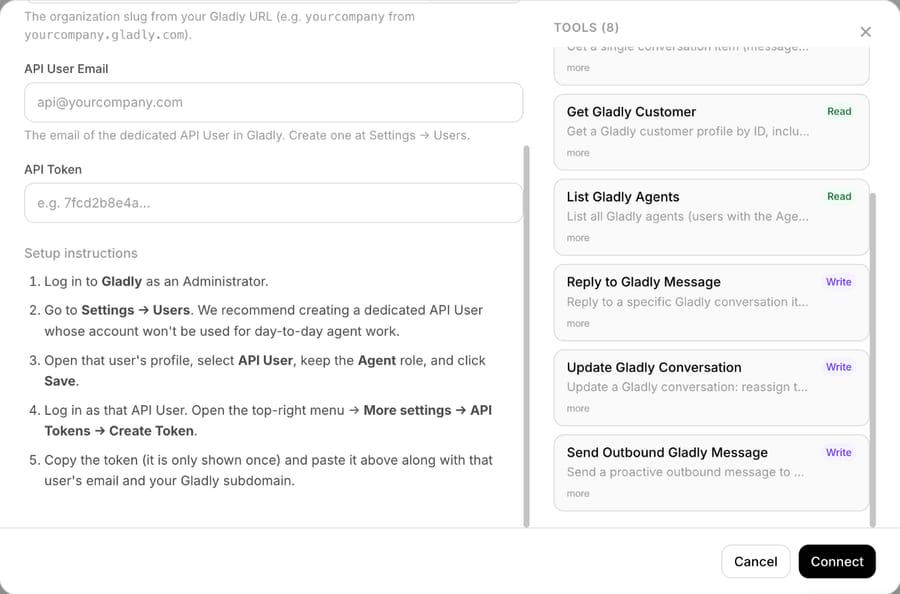
Macha suits teams that already send proactive alerts and want the replies answered with real order data. The difference from a self-serve tool is who does the work. The Macha team analyzes your past tickets, builds the knowledge base and the agent, tests it on real history, and runs it in safe mode with drafts as internal notes until you're happy with them. A dedicated success manager handles changes after go-live, on the trial and every plan, at about $0.40 per ticket from $299/month for 750 tickets. See Macha on Gladly, the Gladly connector and the done-for-you setup.
Which help desks send proactive messages themselves?
1. Zendesk: proactive messages on every Suite plan, 9/10
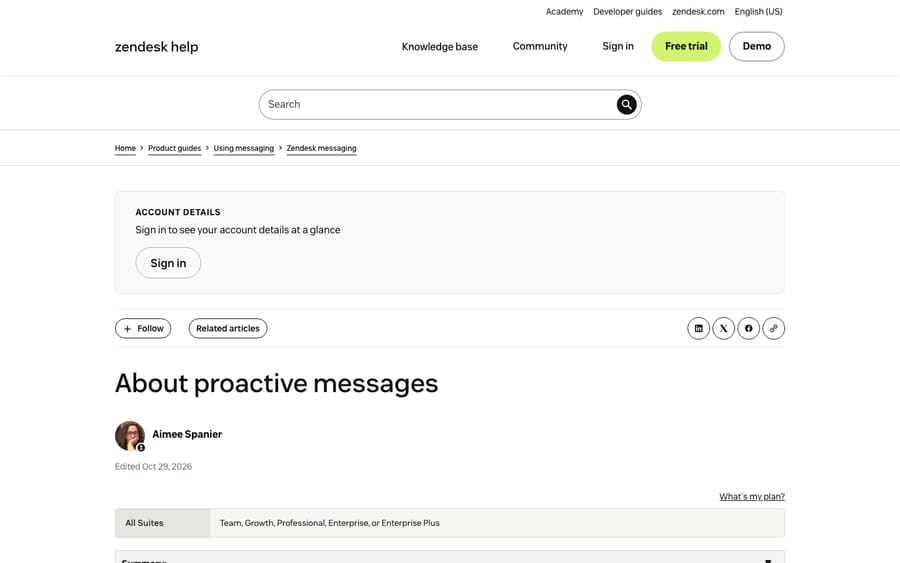
Zendesk's help article About proactive messages lists the feature on Team, Growth, Professional, Enterprise and Enterprise Plus, and describes it as targeted messages sent "based on user events and past interactions." You build the rule from a set of conditions and events (Zendesk publishes a reference of them), and an account can hold up to 140 proactive messages, several running at once on one channel.
The limit is reach. The same article says proactive messages "are only available for the Web Widget and Mobile SDK messaging channels." No email, SMS or WhatsApp sends from this feature, so it catches customers while they're on your site or in your app and nowhere else. Replies arrive as messaging conversations in the agent workspace, next to every other ticket. Suite Team is US$55 an agent a month billed annually, or US$69 monthly, on Zendesk's pricing page.
Scores: channels 1, targeting 2, replies 2, price 2, volume 2.
Best for: a team already on Zendesk messaging that wants to reach people mid-session, such as a checkout or onboarding screen. If you're moving from the older chat product, our Zendesk messaging vs live chat guide covers the switch.
2. Crisp: campaigns across email, SMS, chat and WhatsApp, 8/10
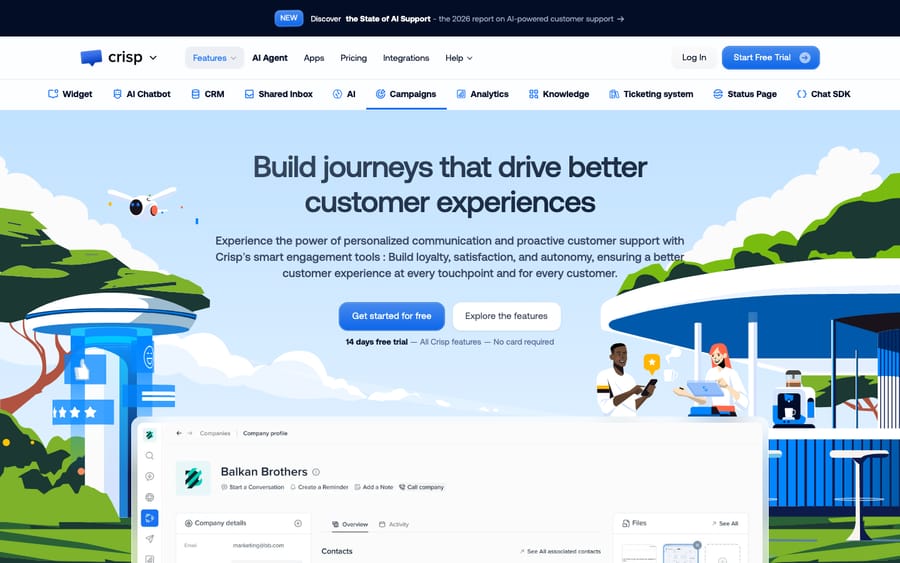
Crisp's Campaigns page describes a drag-and-drop journey builder that sends on "email, SMS, chat, and WhatsApp," fills templates from Crisp's CRM data, and lists examples such as order status updates, NPS requests and follow-ups "after the 24-hour WhatsApp window." Separately, the pricing page includes chat triggers from Mini ($45 a month for the workspace, not per seat), described as "Engage chat conversations automatically based on specific behaviors."
Replies come back to the same Crisp inbox, which is the strength of an all-in-one product. The pricing page doesn't say which plan includes Campaigns, so we scored the price and the volume as unclear rather than guess. Crisp's per-workspace pricing is unusual here and suits a team that's growing in headcount faster than in budget; our Crisp pricing guide has the plan detail.
Scores: channels 2, targeting 2, replies 2, price 1 (campaigns not tied to a plan on the page), volume 1 (not stated).
Best for: a small ecommerce or SaaS team that wants chat triggers and an occasional WhatsApp or SMS campaign without buying a second tool.
2. Intercom: the widest set of outbound formats, priced per message, 8/10
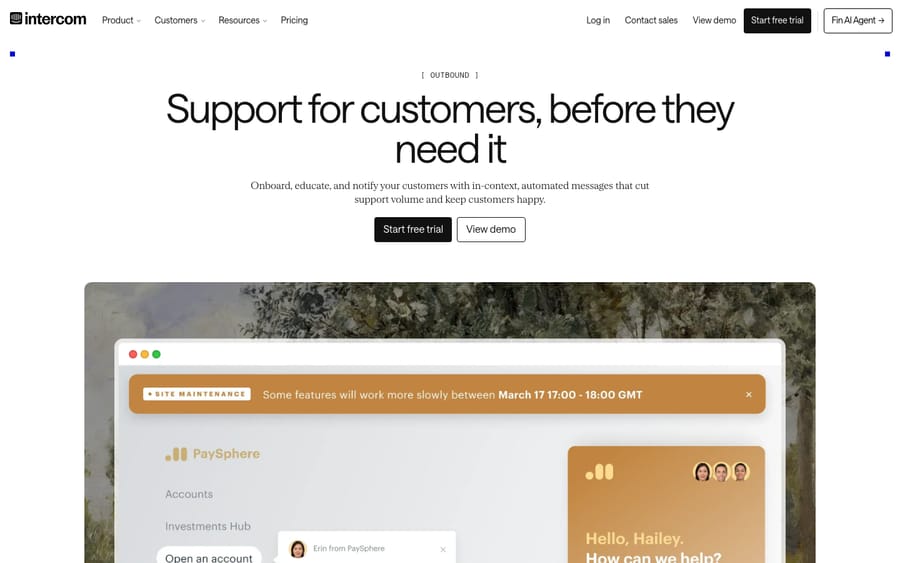
Intercom's outbound page is headed "Support for customers, before they need it" and lists more formats than anyone else here: outbound chats in the Messenger, product tours, checklists, tooltips, banners, mobile carousels, push, news items, surveys, and Series, which chains them into journeys that can include email. Targeting runs on user data and events, which is the point of Intercom's model.
Intercom's pricing page puts these in Proactive Support Plus, "from $99 per workspace per month" with 500 messages sent a month and extra messages charged per unit, on top of seats (Essential lists at $29 a seat billed annually, $19 for new customers; Advanced is $85; Expert $132). Pricing per message sent means Intercom earns more the more you talk to customers first, which is fine for a product-led onboarding flow and expensive for a mass delay notice. Our Intercom pricing guide does the full arithmetic.
Scores: channels 2, targeting 2, replies 2, price 1 (add-on), volume 1 (500 messages, then per message).
Best for: a SaaS or app business that wants onboarding tours and in-product announcements to share a Messenger and an inbox with support.
Which live chat tools start the conversation for you?
4. LiveChat: proactive campaigns metered by impressions, 7/10
LiveChat's pricing page now carries a "text by LiveChat" logo and the headline "Live chat pricing with AI Agents included," and it shows the proactive meter plainly. Essential, at $19 a seat a month billed annually or $25 monthly, includes 3 proactive campaigns and 1,000 campaign impressions. Growth, at $79 annually or $99 monthly, includes 30 campaigns and 10,000 impressions, and Enterprise is custom. The page also lists proactive chat invitations and buying intent detection without saying which plans get them.
Capping impressions on the entry plan is how LiveChat moves a busy site up a tier: a store with 20,000 monthly visitors burns 1,000 impressions quickly if a campaign fires on every product page. LiveChat is chat only, so the campaign lives and dies on your website, and every reply lands in the same chat queue.
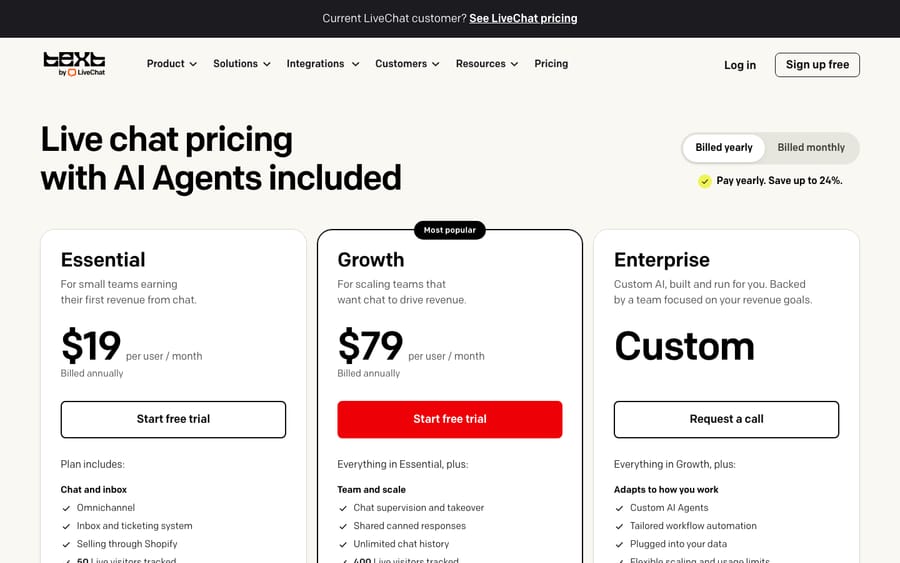
Scores: channels 0, targeting 2, replies 2, price 2, volume 1 (1,000 impressions on Essential).
Best for: a sales-heavy website that wants agents to greet high-intent visitors, with a team big enough to answer them. Our LiveChat alternatives roundup compares the field if the seat price is the problem.
4. Tidio: Flows that open a chat from site behavior, 7/10
Tidio's automation is Flows. The Flows page says every workflow "starts with a trigger" and offers templates for cart recovery, cross-sell, post-purchase and missed conversations, and the pricing page says Flows can "use website behavior to start a conversation." Tidio meters Flows by visitors reached: Starter ($33 a month, or $390 a year) includes 100 visitors reached a month, and the Flows add-on starts at $24 a month for 2,000.
So the proactive part is cheap to switch on and cheap to outgrow. Pricing by visitors reached means you pay for the people a Flow fires on, whether they reply or not, so a broad trigger on every page view costs more than a narrow one on the cart page. Our Tidio pricing guide breaks down the Lyro AI quota that sits beside it.

Scores: channels 0, targeting 2, replies 2, price 2, volume 1 (100 visitors reached on Starter).
Best for: a Shopify or WooCommerce store that wants a cart-recovery chat running this week for a few dollars.
Which tools reach customers outside your website?
6. AfterShip: shipping and delay alerts before "where is my order?", 6/10
For an online store, the most common reason a customer writes in is a parcel. AfterShip's pricing page lists "Email and SMS delivery updates" and "Exception and delay alerts" on Tracking Essentials, priced by monthly volume and billed annually: $9 a month for up to 100 shipments and $49 for up to 1,000. Premium starts at $59 a month from 500 shipments, and above 5,000 shipments a month Tracking is priced with AfterShip's team. Usage above the quota bills at 1.3 times the plan's unit price, and the page offers a free trial. The Shopify App Store listing rates the app 4.6 from 1,516 reviews.
The incentive is a per-shipment meter, so cost tracks order volume rather than seats. Replies to an AfterShip notification aren't a support conversation in AfterShip; they go wherever your sender address or help desk sends them. Wonderment, a competitor in the same category, now redirects to a Loop Returns page announcing "Loop has acquired Wonderment!" and the product is now Loop Tracking.
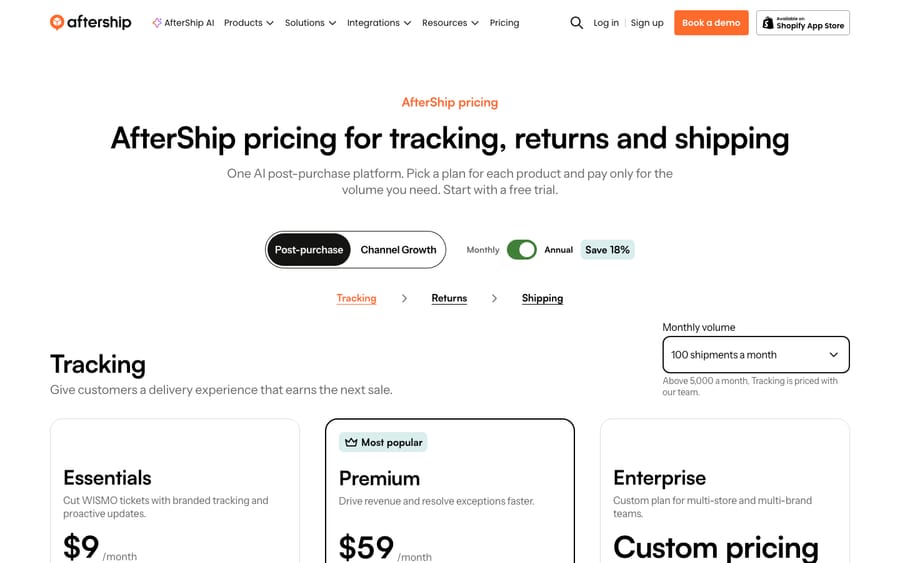
Scores: channels 1, targeting 2 (carrier events, delays and exceptions), replies 0, price 2, volume 1 (a shipment quota on every plan).
Best for: a Shopify store whose top ticket category is order status. Our posts on proactive shipping updates in Gorgias and AfterShip with an AI support agent cover the reply side.
6. Gladly: proactive chat, voice, SMS and email run by your team, 6/10
Gladly's help center has a whole section on Proactive Conversations with four features: Proactive Chat, Proactive Voice, Proactive SMS and Proactive Email. They're organized as campaigns, outreach and recipients, and Gladly's own sender-reputation article says Proactive SMS and Email "are not meant to replace large-scale marketing communication tools like MailChimp (email) and Attentive (SMS)."
Gladly treats outreach as service work: an agent or a campaign contacts customers about an order or an appointment, and the reply joins the customer's single, lifelong conversation, so the next agent sees the outreach and the answer together. Gladly doesn't publish prices; its pricing page offers a demo and a sales contact, and our Gladly pricing guide collects what third parties report.
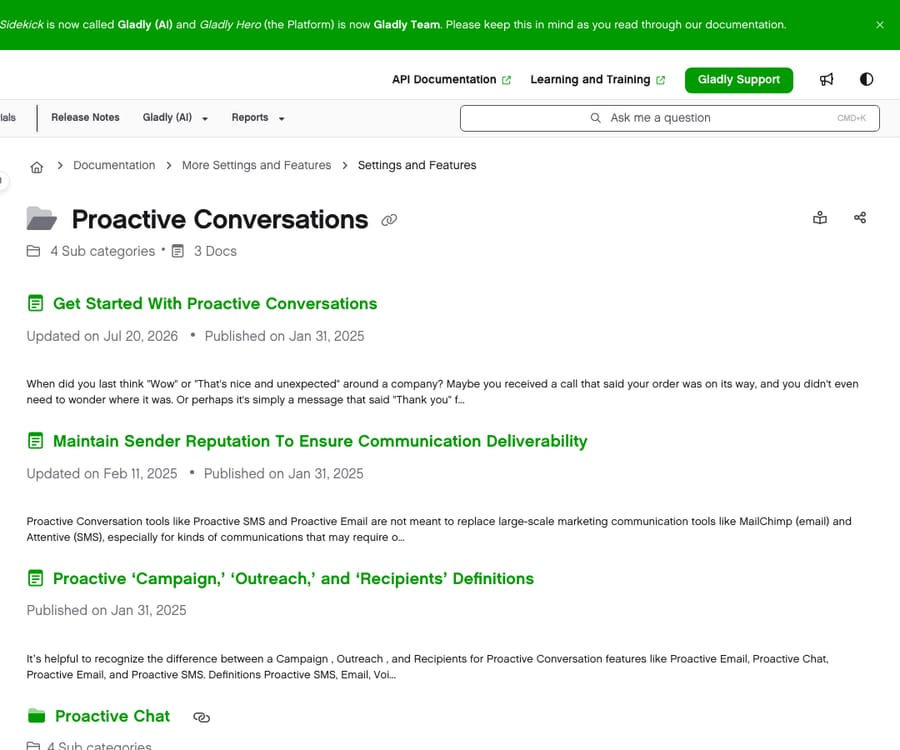
Scores: channels 2, targeting 1 (campaigns and recipient lists), replies 2, price 0, volume 1 (not stated).
Best for: a retail or travel team on Gladly that wants to call or text customers about a specific problem and keep the reply on the customer's record. Macha's agents can answer those replies on Gladly; see how Macha automates Gladly order status.
6. Statuspage: incident notices before the tickets arrive, 6/10
Atlassian's Statuspage is the oldest kind of proactive support: tell everyone about the outage before they file a ticket about it. The pricing page lists a free public page for 100 subscribers with email, Slack and Microsoft Teams notifications; Hobby at $29 a month for 250 subscribers; and Startup at $99 for 1,000 subscribers, which adds SMS and webhooks. The page says all plans include unlimited notifications.
Statuspage is one-way by design. Subscribers choose the components they care about and get notified, and there's no reply path into a support inbox. Its value to support is the tickets that never get written. A SaaS team that posts an incident within minutes cuts the "is it down?" wave to the people who didn't subscribe.
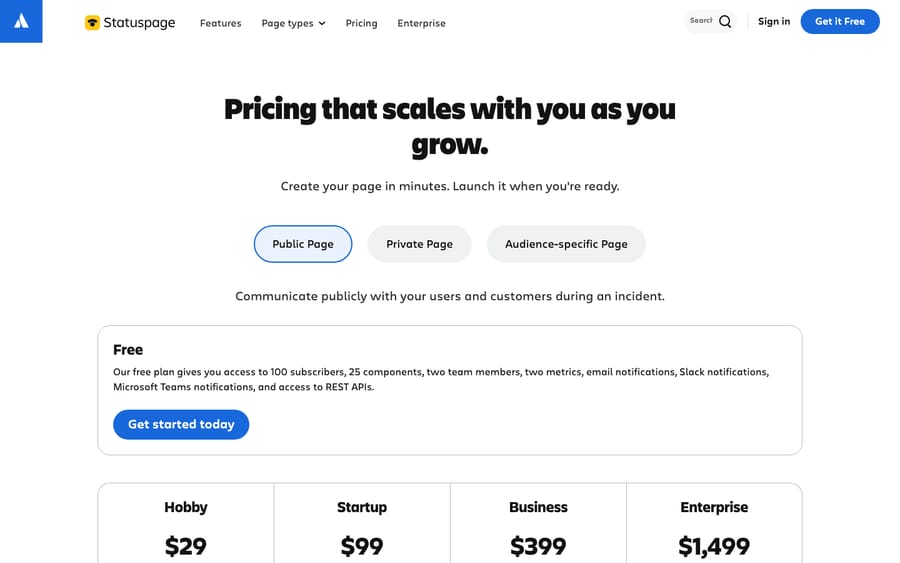
Scores: channels 2, targeting 1 (incident-driven, chosen by component), replies 0, price 2, volume 1 (100 subscribers on Free).
Best for: any software team whose biggest ticket spikes come from outages and maintenance.
How do you choose a proactive customer service tool?
Start from the ticket you want to stop, not the feature list. Three questions sort the field quickly:
- Is the trigger on your site or in the world? If it's a page, a cart or a screen in your app, you want on-site messaging: Zendesk or Intercom if that's your desk already, LiveChat or Tidio if you're choosing chat on its own. If it's a carrier scan or an outage, you want AfterShip or Statuspage, because a chat widget can't see either.
- Who replies? A proactive message to 1,000 people creates conversations. Zendesk, Intercom, Crisp, LiveChat, Tidio and Gladly put the reply in the inbox your team already works. AfterShip and Statuspage don't, so decide where those replies go before you turn alerts on.
- What's the meter? Intercom charges per message after 500, LiveChat caps campaign impressions, Tidio counts visitors reached, Statuspage counts subscribers and AfterShip counts shipments. Each vendor meters the thing that grows with your success, so model next year's volume, not this month's.
Take a store that ships 3,000 orders a month, 6% of which arrive late. A delay alert to those 180 customers costs a few dollars on a shipment-metered tool. If a quarter of them reply, that's 45 conversations your team or an AI agent still has to answer, and the answer needs the order's real tracking status. Proactive tools cut the "where is it" volume; they don't take it to zero.
| If your problem is... | Start with | Why |
|---|---|---|
| Checkout or onboarding drop-off | Zendesk, Intercom, LiveChat or Tidio | They fire on page and app behavior |
| "Where is my order?" tickets | AfterShip | Delay and exception alerts per shipment |
| Outage ticket spikes | Statuspage | One post reaches every subscriber |
| Contacting specific customers about a problem | Gladly or Crisp | Outreach that keeps the reply on the customer's thread |
| Answering the replies | Macha on your help desk | AI agents with order data, set up by the Macha team |
Common questions
What is a proactive customer service tool?
It's software that contacts the customer first: an on-site or in-app message triggered by behavior, a notification triggered by an event such as a shipping delay or outage, or an outreach campaign run by your team.
Which help desk has the best proactive messaging?
On our rubric, Zendesk scores 9 of 10 because proactive messages come on every Suite plan with up to 140 messages, though only on the Web Widget and mobile SDK. Intercom and Crisp score 8 with more channels.
Does Intercom charge extra for proactive messages?
Yes. Intercom's pricing page puts outbound formats in Proactive Support Plus, from $99 a workspace a month with 500 messages sent included and extra messages charged per unit, on top of seat prices.
Is there a free proactive customer service tool?
Statuspage's free plan sends incident notices to 100 subscribers. AfterShip offers a free trial, then Tracking from $9 a month billed annually for 100 shipments. Proactive chat campaigns start on paid plans at LiveChat, Tidio and Crisp.
Can an AI agent send proactive messages?
Some can. Macha's Gladly connector includes a Send Outbound Gladly Message tool, and Macha's scheduled triggers let an agent run on a timetable. Most teams start by letting the agent answer the replies that proactive messages create.
How we researched this
We checked each vendor's own pricing and product pages on November 22, 2026, and every price and limit above comes from those pages: Intercom's pricing and outbound pages, Zendesk's help article on proactive messages and its pricing page, Crisp's campaigns and pricing pages, LiveChat's and Tidio's pricing pages and Tidio's Flows page, Gladly's help center section on proactive conversations and its pricing page, Atlassian's Statuspage pricing, and AfterShip's pricing page in US dollars, read at the 100, 500 and 1,000 shipment volumes. Where a page didn't say which plan includes a feature, we scored it as unclear and said so. We didn't sign up for every plan, so limits are what each page states. The arithmetic in the choosing section uses illustrative numbers. Macha's capabilities come from its own connector screens in our demo workspace. We make Macha, it's outside the ranking, and nobody paid to be listed. Vendors who think we've scored them wrongly can write to us with a public source and we'll re-check.
The fastest way to see Macha answer the replies your proactive messages create is to start a trial: $50 of free usage (about 125 tickets), no credit card, no time limit, with the Macha team doing the setup.