Intercom
 Shopify
 Stripe
 Slack
Slack Notion
 Google Workspace
 Confluence

How Do You Migrate from Freshdesk to Intercom? Tickets, Contacts and Articles (2026)


Intercom never built a Freshdesk ticket importer, and its own Freshdesk app documentation says ticket history can't be imported as Inbox Conversations through the workspace. Contacts and published articles do move natively, so most teams combine a migration service or scripts for tickets with Intercom's CSV import and content sync.
Key takeaways
- Intercom has no native Freshdesk ticket importer: its Freshdesk app documentation says Freshdesk ticket history cannot be imported as Inbox Conversations via the Workspace UI.
- Intercom's Freshdesk content sync reads the Freshdesk Solutions API v2, keeps categories, folders and articles, supports multiple languages, and skips drafts.
- Freshdesk contacts can hold up to 9 secondary emails alongside the primary, which should be flattened before an Intercom CSV import because Intercom matches on a single email.
- Intercom recommends posting one reply with the full Freshdesk thread, because migrating message by message inflates the API call count by 10 to 100 times.
- Help Desk Migration's free demo moves 20 tickets and articles of your choosing before you pay, and its Delta migration picks up records created during the window.

Intercom has no built-in Freshdesk ticket importer, so Freshdesk ticket history moves through a migration service or your own scripts on both APIs. Contacts go in by CSV, and published solution articles come across through Intercom's native Freshdesk content sync.
Still choosing? Our Freshdesk vs Intercom comparison covers the platforms feature by feature. This page assumes you've decided.
What are the three ways to move from Freshdesk to Intercom?
| Route | Tickets | Contacts and companies | Knowledge base | Effort |
|---|---|---|---|---|
| Native Intercom tools only | Not covered | CSV import | Content sync for Fin and Copilot | An afternoon |
| A migration service | Full threads, notes, attachments | Yes, with company links | Categories, folders, articles, translations | A demo, a mapping pass, a paid run |
| Your own scripts on both APIs | Whatever you write | Whatever you write | Create an Article endpoint | Days of engineering |
Most teams end up mixing them: a service or scripts for ticket history, the native CSV import for people, and the content sync for articles.
How do you export your data from Freshdesk first?
Even when a migration service reads Freshdesk over the API for you, a local export is your rollback plan and your reconciliation count. Freshdesk puts exports in one place and gates them on your role: you need an Admin or Supervisor role, and if the Export option still doesn't appear, check that export permissions are enabled for your role.
Go to the Tickets tab, choose the pre-existing "All tickets" view, apply the filters you want (created time, agents, groups, type, status), then click Export. Pick CSV or Excel and choose the fields. The step people miss is buried in the dialog: expand "Show multiline text fields" if you want the Description, or any custom multiline field, in the file. Freshdesk's own note on timing is also worth following: set Created time to "Any time" on the list page and apply your real date window inside the Export dialog instead.
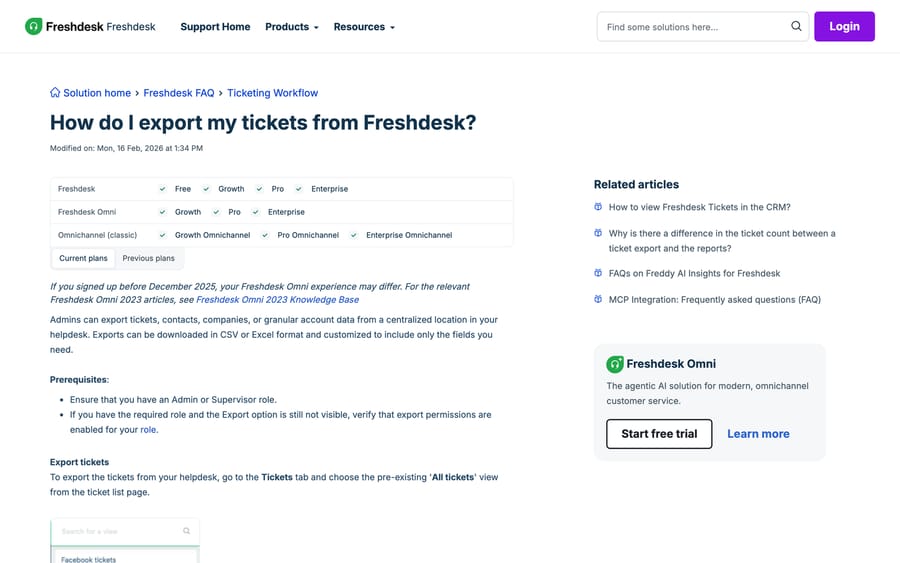
Contacts and companies export from the same place. Counts from these files are what you'll check your Intercom totals against later, so save them before anything moves.
What can Intercom's native tools move from Freshdesk?
Contacts and companies by CSV
Intercom takes people through a CSV import at Contacts > People > New Users or Leads > Import People, and you map the columns to Intercom attributes as you go. Two Freshdesk-side rules shape the file you produce. Freshdesk treats the email address as the unique identifier, so a row carrying an existing contact's email overwrites that contact rather than creating a second one. And a contact can hold up to 9 secondary emails alongside the primary, in Freshdesk's documented format, which you'll want to flatten before import because Intercom matches on a single email.
One ordering rule from Intercom's migration guidance applies here and decides your whole sequence: every conversation or ticket has to link to a contact that already exists, and a contact needs at minimum a user_id or an email address. People first, always.
Knowledge base through the content sync
This is the piece that genuinely works natively, and it's newer than most guides on this query. Go to Fin AI Agent > Train > Content, select See all under "Add content", then click From Freshdesk. Enter your Freshdesk domain (the first part of your Freshdesk URL) and your API key, then Sync.
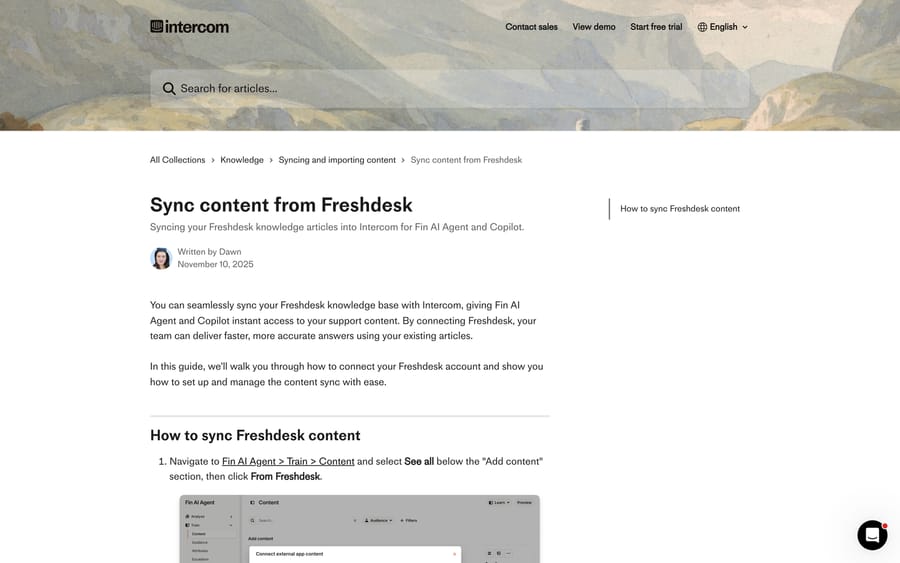
What it does and doesn't do is worth reading precisely. It preserves your Freshdesk structure of categories, folders and articles. It skips drafts and imports only published articles. It supports multiple languages and lets you filter by category, folder or article. Under the hood it reads the Freshdesk Solutions API v2, so your API key needs to be valid for it; you'll find the key under your profile icon > Profile settings, sometimes behind a captcha.
The catch is what the sync is for. It feeds Fin AI Agent and Copilot with your support content. Publishing those articles as your customer-facing Intercom Help Center is a separate job. Back in 2023, a community thread on exactly this drew a straight answer from Intercom's own Daniel McGovern in Customer Support Engineering: they don't provide a way to import article content from Freshdesk, and if you can export your articles into a suitable format, the REST API's Create an Article endpoint is the path. For Help Center publishing, that answer still stands.
The Freshdesk app, for running both at once
If you're moving gradually, install the Freshdesk app from the Intercom App Store, authorize it against your workspace, and enter your Freshdesk domain and API key. It gives agents three things: recent Freshdesk tickets for the customer they're looking at, the ability to create a Freshdesk ticket from an Intercom conversation, and solution article lookup. Add the widget through Inbox sidebar customization and select Freshdesk.
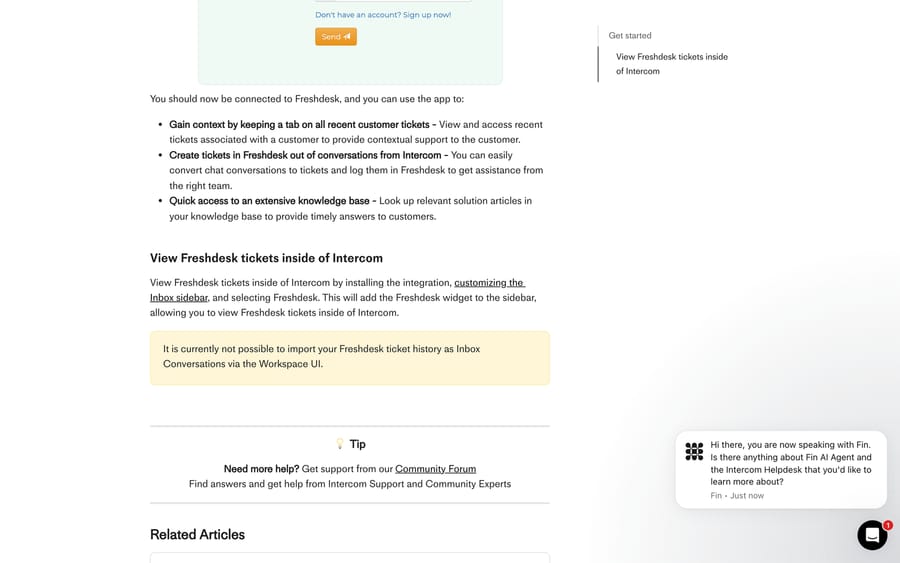
It's a bridge, not a migration. The same article carries the line quoted at the top of this page.
When is a migration service worth paying for?
For ticket history with threads, notes and attachments intact, this is the shortest path. Help Desk Migration (by Relokia, an Intercom partner) publishes the object mapping it applies, which is a useful reference even if you script the move yourself:
| Freshdesk | Intercom |
|---|---|
| Agents | Users and leads |
| Contacts | Users and leads |
| Companies | Companies |
| Tickets | Tickets |
| Knowledge base categories | Collections |
| Folders | Sub-collections |
| Articles | Articles |
The free demo moves 20 tickets and articles of your choosing so you can inspect structure and formatting before paying. Two options from the same vendor's Intercom page matter on a Freshdesk move specifically: inline images import as attachments so screenshots don't arrive as broken icons, and Delta migration re-runs afterwards to pick up anything created during the window.
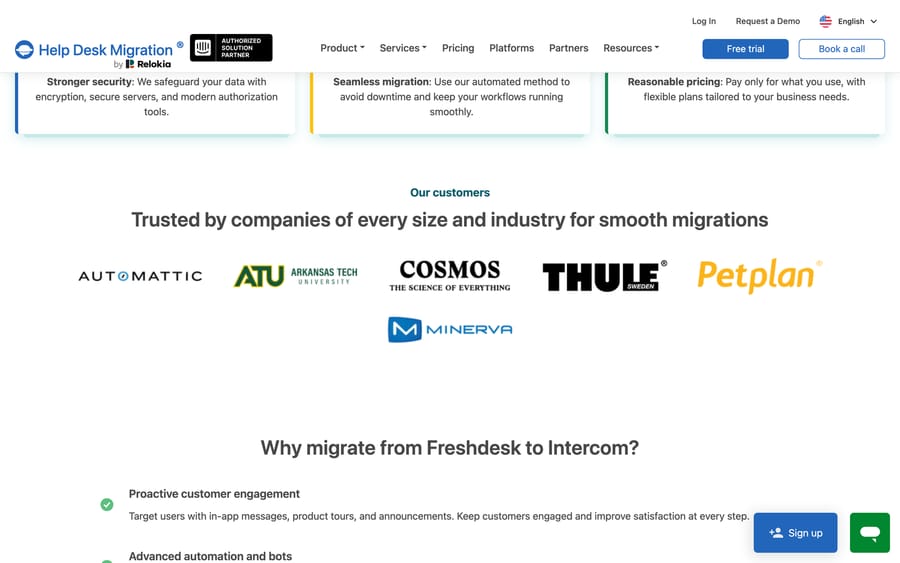
Pricing is quoted after the demo, by record count; the vendor publishes no rate card. Name the incentive before you take the quote: a per-record price rewards moving your entire archive, while your Intercom reporting almost never reaches past two years. Set your cutoff date first, then run the demo against that subset, and the number changes a lot.
How do you script a Freshdesk to Intercom migration?
Freshdesk and Intercom both expose everything you need, and the Freshdesk API is straightforward to read from. The shape that catches teams out is on the write side: creating a ticket, adding a reply and adding a private note are three separate Freshdesk calls (POST /api/v2/tickets, POST /api/v2/tickets/[id]/reply, POST /api/v2/tickets/[ticket_id]/notes), and rate limits vary by plan, so a naive replay of a large archive will hit them.
Going the other way, into Intercom, follow the order Intercom publishes, because imports fail if you don't. Contacts first. Custom data attributes second, so attribute values have somewhere to land. Conversations or tickets third.
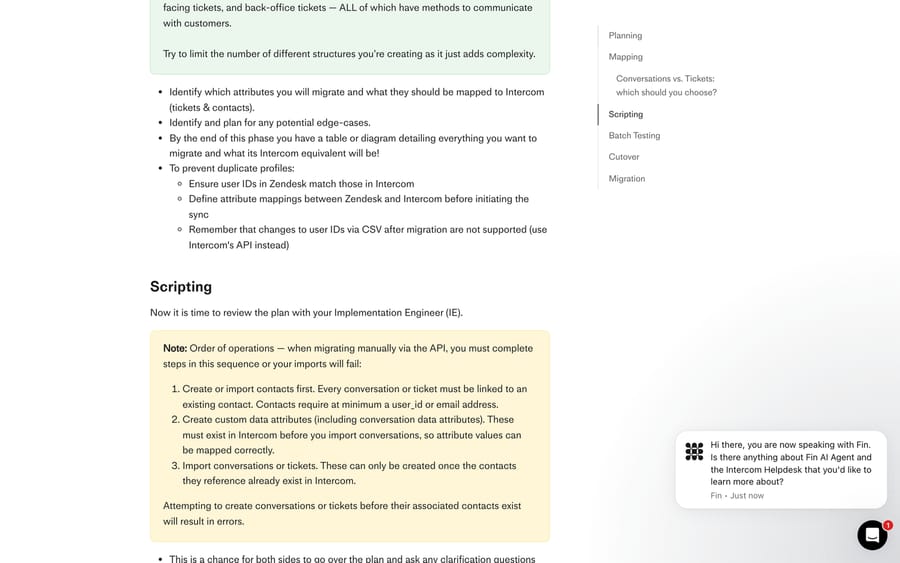
Three decisions sit inside that third step.
Conversations or Tickets. Intercom's guidance is to make customer support interactions into Conversations, which are visible in the Messenger and support real-time replies, and to make structured, trackable requests into Tickets, which carry defined states and custom attributes. Freshdesk's single ticket object splits across both, and each structure needs its own script and its own validation, so keep the split simple.
One reply, not a replay. Create the conversation by simulating an inbound message from the customer, then post the whole Freshdesk thread as a single reply. Intercom recommends this over migrating message by message, which inflates your API call count by 10 to 100 times for no reporting benefit.
Dates. Intercom's Create conversation endpoint accepts a created_at Unix timestamp, and the API reference describes that field as recommended for migrating past conversations from another source. Without it every migrated Freshdesk ticket lands with today's date and your response-time reporting is meaningless.
Two operational traps to close before you run: a closed ticket passes through open and replied states on its way to closed, so exclude "Created via API" from your Workflow triggers or switch the Workflows off for the run, and suppress email notifications before any reply is posted on an email-channel conversation.
If that's more than you want to own, Intercom sells migration packages through Customer Implementation Services, where an implementation engineer builds it and you validate the output.
How we researched this
Every path, label and limit above was read on September 20, 2026 from Intercom's help center and API reference, Freshdesk's support documentation and developer reference, Help Desk Migration's Freshdesk-to-Intercom page, and one public thread on community.intercom.com. We did not run this migration, and no workspace of ours appears in any screenshot; the images are documentation pages and a public forum thread. Where Intercom states a hard limit, we quote its wording instead of paraphrasing it.
What do you rebuild by hand after the move?
No route carries your operational layer, and this is where Freshdesk-to-Intercom projects overrun:
- Canned responses become Intercom macros. Export the list before you decommission Freshdesk.
- Automations, Scenarios and Dispatch'r rules become Workflows. The building blocks differ enough that porting rule-by-rule wastes time; rewrite from the outcomes you want.
- Groups become Teams, and agent assignment rules get rebuilt against Intercom's routing.
- Freddy answers become Fin. Different product, different retrieval, different bill. Test it on real questions rather than assuming parity.
What if Freshdesk is still on the table?
Two neighbours to this page. How to migrate from Freshdesk is the destination-agnostic version, and the best Freshdesk migration tools compares the services in more depth than this page does.
Worth separating one decision from the other: if the reason for moving is that Freshdesk's AI isn't resolving enough, the AI layer and the help desk are different purchases. Macha is an AI agent layer that runs on top of the desk you already use, and it fits teams on Zendesk, Freshdesk, Gorgias, Front, HubSpot or Intercom who want agents acting inside the ticket instead of a second chat widget in front of it. It connects to Intercom too, so it stays an option on the other side of this migration. Either way, the pricing is published: one plan billed on monthly ticket volume, setup and monitoring by the Macha team included, and how it works on Freshdesk is on its own page.
Frequently asked questions
Can Intercom import Freshdesk tickets automatically? No. Intercom's documentation for its Freshdesk app states that it is currently not possible to import your Freshdesk ticket history as Inbox Conversations via the Workspace UI. Intercom does ship a native importer for Zendesk, which is why guides written for that move don't transfer. For Freshdesk ticket history you need a migration service or your own scripts on both APIs.
How do I export tickets from Freshdesk before migrating? Go to the Tickets tab, select the "All tickets" view, apply your filters, then click Export and choose CSV or Excel plus the fields you want. You need an Admin or Supervisor role with export permissions enabled. Expand "Show multiline text fields" in the export dialog if you want ticket descriptions included, and set the date window inside the dialog rather than on the list page.
Do my Freshdesk solution articles move to Intercom? Partly, and natively. Intercom's Freshdesk content sync at Fin AI Agent > Train > Content > See all > From Freshdesk reads the Freshdesk Solutions API v2 and preserves categories, folders and articles, with multi-language support and filtering. It skips drafts and imports only published articles. That content powers Fin and Copilot; publishing the same articles as a customer-facing Intercom Help Center is a separate job, handled by a migration service or the Create an Article endpoint.
Will migrated Freshdesk tickets keep their original dates in Intercom? Only if you set them. Intercom's Create conversation endpoint accepts a created_at Unix timestamp, described in the API reference as recommended for migrating past conversations from another source. A script that omits it stamps every historical ticket with today's date, which makes first-response and resolution reporting in Intercom useless for the migrated set.
What's the right order for a Freshdesk to Intercom migration? Contacts first, then custom data attributes, then conversations or tickets. Intercom's own migration guide is explicit that imports fail otherwise, because every conversation or ticket must link to a contact that already exists, and attribute values need their attributes to exist before they can be mapped.
How long does a Freshdesk to Intercom migration take? The automated run is usually the short part; migration services typically complete a standard volume within a day or two and offer a delta run afterwards for anything created during the window. The longer costs are the decisions before it, mapping Freshdesk's single ticket object onto Intercom conversations and tickets, and the rebuild after it, since canned responses, automations and Freddy answers don't transfer.
Can I run Freshdesk and Intercom side by side during the move? Yes. Install the Freshdesk app from the Intercom App Store and authorize it with your Freshdesk domain and API key. Agents can then see a customer's recent Freshdesk tickets in the Intercom Inbox sidebar, create Freshdesk tickets from an Intercom conversation, and look up solution articles. It bridges the two while the queue drains; it doesn't move history.
Sources: Intercom: Freshdesk app · Intercom: sync content from Freshdesk · Intercom: historical data migration · Intercom API: create a conversation · Freshdesk: how do I export my tickets · Freshdesk: importing and exporting customer data · Freshdesk API reference · Freshworks: Freshdesk · Help Desk Migration: Freshdesk to Intercom · Community: migrating articles from Freshdesk to Intercom
Add AI agents to your Freshdesk
Macha reads the ticket, drafts the reply and takes the action, inside the Freshdesk you already run.