Intercom
 Shopify
 Stripe
 Slack
Slack Notion
 Google Workspace
 Confluence

Why Do AI Voice Agent Call Transfers Fail? Warm Handoff and After-Hours Routing


A voice agent usually loses the caller at the handoff, when the call drops, the context stays behind, nobody answers or there is no route to a person. Retell, Vapi and Microsoft Copilot Studio each handle warm transfer differently, and the fix operators report working is a screen pop with context loaded before the call connects.
Key takeaways
- AI voice agent transfers fail in four ways: the call drops, the context does not transfer, nobody answers, or the caller cannot reach a human despite asking.
- Vapi's warm-transfer-say-summary message caps at 1,000 characters, and its TwiML-based transfer mode is limited to 4,096 characters using only Say, Play, Gather, Pause and Hangup.
- Retell documents that custom SIP headers are preserved only when transferring directly to a SIP endpoint and may be stripped when transferring to a PSTN number.
- A Teams voice bot's instant transfer failure traced to number provisioning: a Calling Plans resource account needs a pay-as-you-go Calling Plan license, while Direct Routing needs a voice routing policy.
- A thread that reviewed 25 AI support tools found that none of them detect when a human agent goes silent after the AI escalates a call.

Voice agents lose callers at the transfer in four ways: the call drops, the context stays behind, nobody answers, or the caller cannot reach a person at all. The fix operators report working is a warm transfer with the conversation already written into the human's help desk, so it pops on their screen before the call connects.
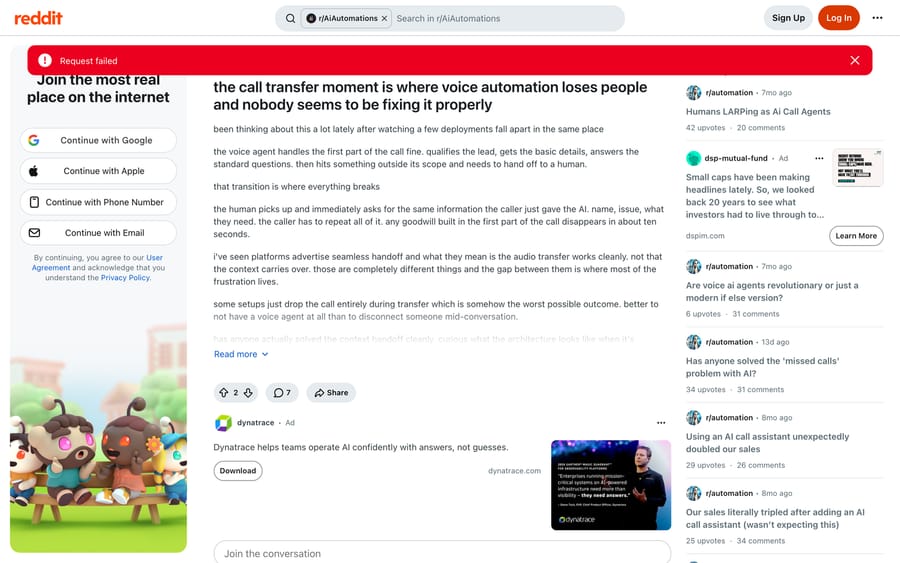
Start with the distinction that explains most of the frustration. An operator watching deployments fall apart in the same place wrote it out on r/AiAutomations in June 2026: platforms advertise seamless handoff, and what they mean is that the audio transfer works cleanly, not that the context carries over. Those are different things, and the gap between them is where the caller has to say their name and their problem for a second time.
How do voice agent call transfers fail?
| Failure | What the caller experiences | Usual cause |
|---|---|---|
| The call drops | Disconnected mid-conversation | Transfer misconfigured for the number type or carrier |
| The context doesn't travel | Being asked everything again | Cold transfer, or a summary that arrives after the call connects |
| Nobody picks up | Ringing, voicemail, or silence | No after-hours path, or no SLA on the escalation |
| The caller can't get out | Repeating "agent" until something happens | No explicit human route in the agent's instructions |
The first one is worth dwelling on, because the same operator makes the strongest claim in the thread about it: some setups drop the call entirely during transfer, which is somehow the worst possible outcome, and it would be better to have no voice agent at all than to disconnect somebody mid-conversation. That is the right bar. A voice agent that cannot reliably hand over is worse than a voicemail box.
What does warm transfer actually do on Retell, Vapi and Copilot Studio?
Every vendor uses both words and they do not all mean the same thing. Here is what the documentation says today.
| Platform | Transfer options | Notable limits |
|---|---|---|
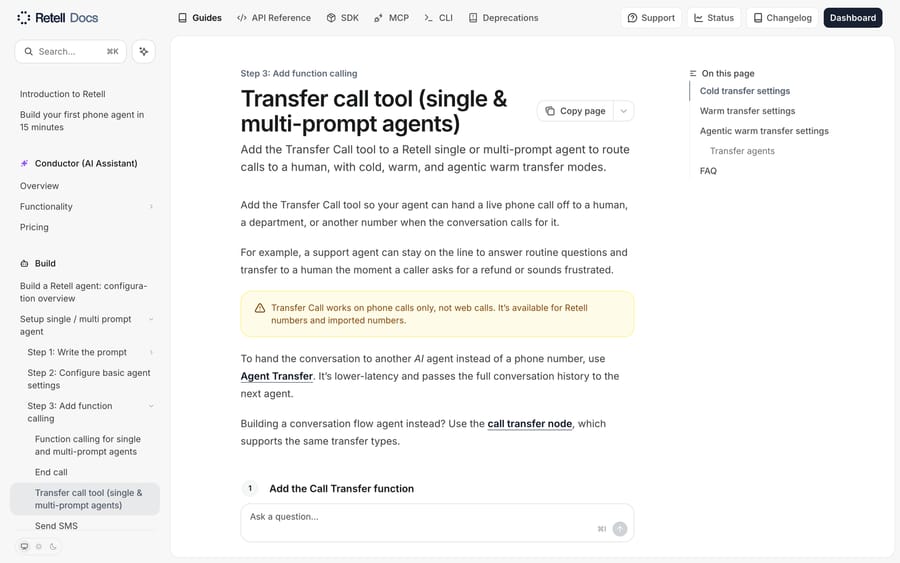
| Retell | Cold transfer; warm transfer with an optional private Whisper Debrief Message; agentic warm transfer, where a second AI agent talks to the destination and then bridges or cancels | Phone calls only, not web calls. Retell Twilio numbers can show the caller's number on warm and cold; Telnyx numbers only on cold |
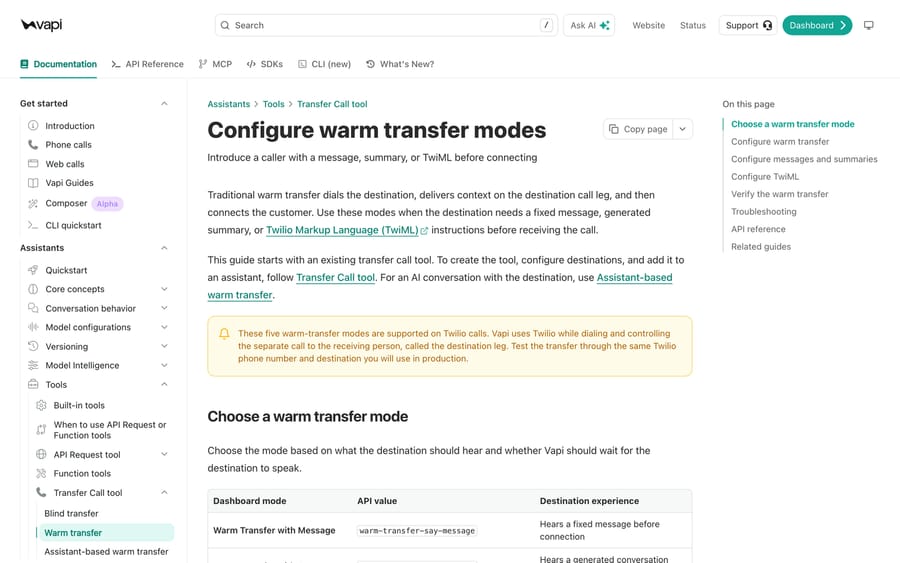
| Vapi | Blind transfer, plus five warm modes: warm-transfer-say-message, warm-transfer-say-summary, warm-transfer-twiml, and two wait-for-operator-to-speak-first variants of the message and summary modes | The five warm modes are supported on Twilio calls. Messages cap at 1,000 characters, TwiML at 4,096 and only Say, Play, Gather, Pause and Hangup. Wait-first timeout is 1 to 600 seconds, default 60 |
| Microsoft Copilot Studio (Teams voice) | Transfer conversation node, with transfer to an external phone number or to a call queue | The available transfer types depend on how the Teams number is provisioned |
Two things in that table are worth reading twice. Retell's agentic warm transfer is the only option in the set where something can decide not to connect the call, which matters when the destination is a shared line that might be an answering machine. And Vapi's 1,000-character cap on a warm-transfer message is your context budget: whatever summary you want the human to hear has to fit inside it.
A detail that quietly breaks context handoff on both: Retell documents that custom SIP headers are preserved only when transferring directly to a SIP endpoint, and may be stripped when transferring to a PSTN number. If your plan was to attach a summary or a ticket ID to the SIP INVITE and read it on the other side, that plan works on a SIP destination and may silently not work on a phone number.
How do you get the call context to the human in time?
Getting the summary to the human is harder than it sounds, and the reason is timing. The operator in the r/AiAutomations thread identifies it exactly: if the transfer happens in under five seconds, the summary has to be there instantly, and most setups push it through Slack or email, which means the human is still scrambling to read it while the caller is already talking. His conclusion, from watching deployments: a screen pop with context pre-loaded before the call connects is the only version he has seen work in practice.
That gives you three architectures, in increasing order of how well they hold up:
- Whisper or summary in the audio path. The destination hears a private message before the caller is bridged. This is Retell's Whisper Debrief Message and Vapi's
warm-transfer-say-summary. It needs no integration, it works today, and it is capped by what a person can absorb in a few spoken seconds. - Context in the transport. A summary or reference ID travels in a SIP header. Clean where the destination is a SIP endpoint, unreliable to a PSTN number for the reason above.
- Context in the agent's screen. The conversation creates or updates a ticket before the transfer, and the human's help desk shows it when the call rings. This is the screen pop, and it is the one that survives a busy queue, because the human reads it in their own tool instead of remembering a sentence they heard once.
The third only works if the agent writes the record before it dials, which makes the write part of the transfer path itself. It also means the destination has to be a system that can pop a screen, which is why the transfer question and the help-desk question are the same question for support teams.
Why does a transfer hang up the call instantly?
The Copilot Studio case is the clearest worked example of the drop-the-call failure, and it is instructive because everything in the bot was correct.
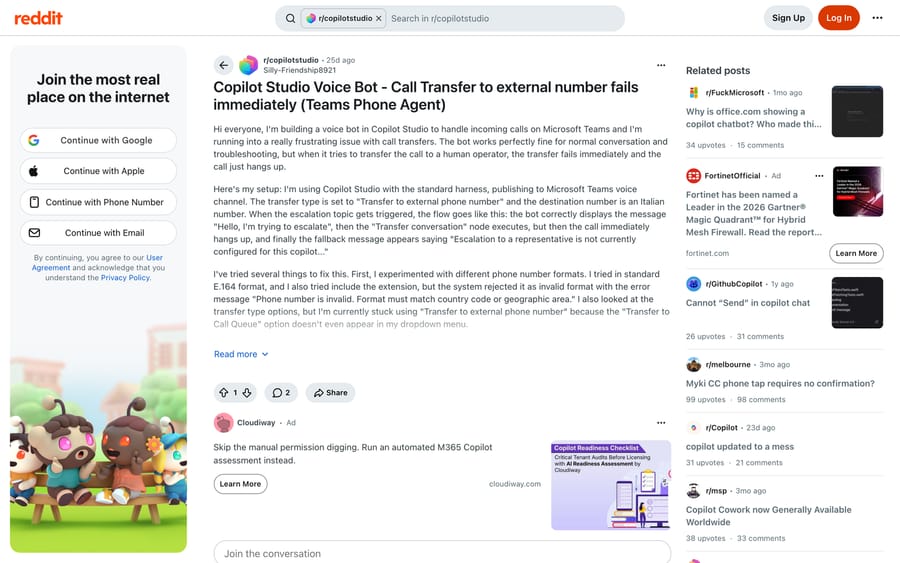
An r/copilotstudio post from August 2026 describes a Teams voice bot that converses fine, then on escalation shows its message, executes the Transfer conversation node, hangs up the call immediately, and finally displays the fallback text "Escalation to a representative is not currently configured for this copilot". The author had tried several E.164 formats and been told the phone number is invalid, and the "Transfer to Call Queue" option was not appearing in the dropdown at all. He had been stuck for days.
The reply points at the layer underneath the bot: it depends whether the number is Operator Connect, Calling Plans or Direct Routing. On Calling Plans the Teams resource account holding the number needs a pay-as-you-go Calling Plan license; on Direct Routing the resource account needs a voice routing policy to place the outbound call. Neither of those is visible in the agent builder, which is why days can go into rewriting the escalation topic.
The general rule this illustrates. When a transfer fails instantly rather than failing to connect, suspect the telephony layer first: the number's provisioning type, its outbound calling entitlement, whether the destination is reachable from that trunk at all, and whether the platform supports transfer on the channel you are using. Retell, for instance, documents transfer as working on phone calls and not on web calls, which is a whole class of "it works in testing" right there. Microsoft Copilot Studio in full covers the rest of the platform.
How do you route after-hours calls to an AI agent and keep your number?
The most common real-world requirement is the one that has nothing to do with AI: a business wants to keep the number on its van and its website, have an agent answer out of hours, and reach a human when it matters. A June 2026 r/twilio thread works through the architecture in useful detail.
The naive design is three numbers: the original business number forwards to a middleware number you control, which decides between the AI agent and a human number based on business hours. An operator running this in production describes a simpler version: the business forwards its existing number to a managed DID and touches nothing else, and the transfer destination is the owner's actual cell or desk phone, so there is no third line for anyone to manage. In that setup every call reaches the agent unconditionally and the business-hours logic runs inside the session rather than in a webhook that decides before the call arrives.
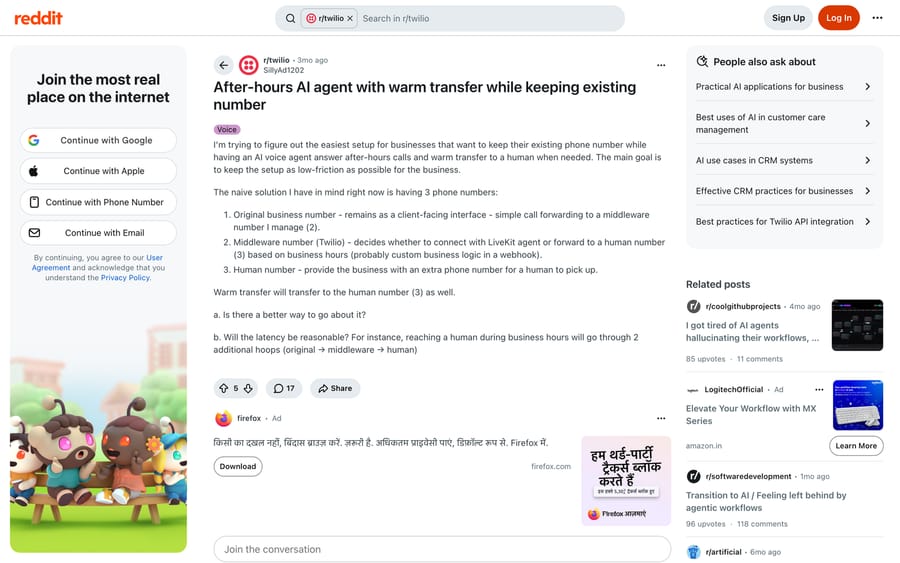
Four things from that thread worth carrying into your own design:
- Forward on busy or no answer is the low-friction option and is still widely available from carriers: the business line rings four or five times and then forwards to the agent's number. It gives you a human-first path during the day with no routing logic at all.
- Watch for loops. The human destination has to be distinct from both the business number and the platform number, or a forwarded call can come straight back.
- Every hop costs latency, and the hops are not the expensive part. Forwarding adds little; the agent's own turn latency is what callers notice. That is a separate problem with its own eight causes, covered in voice AI agent latency.
- Porting the number removes a call leg and removes a bill, and it adds the most friction for the business, which is usually why nobody does it.
Whatever the topology, put business hours in one place and make the after-hours path explicit: agent answers, agent can take a message, agent can reach an on-call number for defined conditions, and everything else waits. An agent that cheerfully promises a callback nobody scheduled is the voice version of a wrong answer.
What happens if nobody answers after the handoff?
Getting the call to a human is only half the promise. A March 2026 r/CustomerSuccess thread looked at 25 AI support tools and reported that none of them detect when a human goes silent after the AI escalates. The customer simply sits there.
The most useful reply in that thread reframes it: treat the escalation as an SLA event rather than a routing event. The moment the agent hands off, a timer starts; if nobody picks up within a set window, it pings a lead, bumps priority, or at minimum tells the customer somebody is coming. The same reply is honest about the hard part, which is defining "picked up": opening the ticket does not help the customer, so first human reply sent is the better signal.
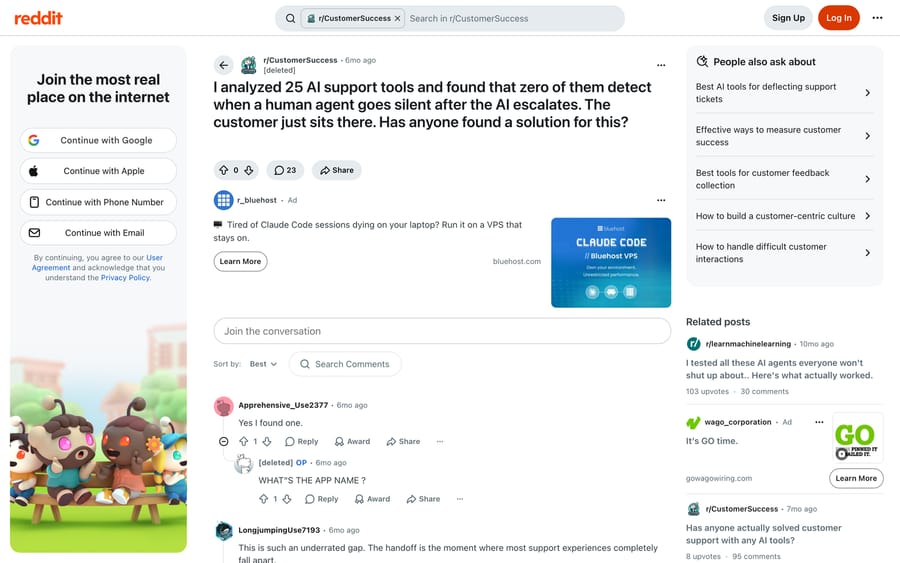
On voice the equivalent is the unanswered transfer. Decide in advance what the agent does when the destination rings out: come back to the caller and offer a callback, drop to voicemail with the summary attached, or route to a second number. Doing nothing means the caller hears ringing and then nothing, and that is the outcome the first thread called worse than having no agent.
How do you test your own transfer path in ten minutes?
Call your own number as a customer would, and check each of these:
- Ask for a human in the first sentence. Anything other than an immediate route out is a finding.
- Ask for a human using words your instructions did not anticipate. "Person", "representative", "someone", swearing. Most escalations are keyword-driven and most callers do not know your keywords.
- Trigger a real transfer and count the seconds from the agent's last word to the human's first. Then listen for whether the human knows anything.
- Answer the transferred call yourself and see what you receive. Whisper message, screen pop, nothing.
- Let the destination ring out without answering, and see what the caller gets.
- Repeat the whole thing at 9pm.
Every one of those is a five-line change if it fails, and each corresponds to a documented complaint above.
When does a help-desk agent layer help, and when is a voice platform the right tool?
Naming the incentive first: voice platforms bill per minute, and a transfer that fails and turns into a second inbound call bills twice. Nobody in that chain is measuring whether your caller had to repeat themselves. The platforms above that document their warm-transfer limits precisely deserve credit for it, and the limits are still yours to design around.
For support teams, the transfer question resolves into the screen-pop question. If the human on the other end works in a help desk, the useful thing the agent can do before dialing is write the record that human will read. Macha fits teams whose tickets already live in Zendesk, Freshdesk, Gorgias, Front, HubSpot or Intercom and who want the same agent and the same tools reachable by voice, through the ElevenLabs integration, so the conversation leaves a ticket behind before it reaches a person. Billing is per ticket, from $299 a month for 750 tickets, with setup and monitoring by the Macha team included. It is the wrong choice if you are running outbound calling or a contact center with queue routing, where Retell, Vapi or a help-desk-native option like Gorgias Voice is the better fit. When to hand off to a human covers the thresholds on the text side, and the AI support rollback covers what happens when handoff is the thing that goes wrong.
How we researched this
We read the transfer documentation for each platform named here on 2026-09-21, and every configuration value quoted comes from the vendor's own current page. Two documentation URLs that search engines still index for this topic return 404 today, so we have not cited them. The field behavior comes from five community threads we read in full the same day, using a headless browser because Reddit refuses scripted requests. We did not place test calls across these platforms for this post, so the ten-minute test above is a procedure rather than a set of results we are reporting.
Frequently asked questions
What is the difference between a cold and a warm transfer? On a cold transfer the agent dials the destination and drops off immediately. On a warm transfer it stays on the line, and depending on the platform it can play a private message only the destination hears, wait for a person to speak first, or run a short three-way introduction before connecting the caller.
Can the human hear a summary before the caller is connected? Yes on both platforms we checked, with different names. Retell calls it a Whisper Debrief Message, spoken privately to the destination. Vapi has warm-transfer-say-summary, which plays a generated summary, and caps message values at 1,000 characters.
Why does my transfer hang up the call instantly? Suspect telephony rather than the agent. In the Copilot Studio case documented above, the fix was in how the Teams number was provisioned: a Calling Plans resource account needs a pay-as-you-go Calling Plan license, and a Direct Routing account needs a voice routing policy. Instant failure usually means the outbound leg was never permitted.
Will my SIP headers carry the context across? Only reliably to a SIP endpoint. Retell documents that custom SIP headers may be stripped when transferring to a PSTN number, so a design that reads a ticket ID from the INVITE can work in testing and fail on a real phone destination.
Does transfer work on a web call? Not on every platform. Retell documents Transfer Call as working on phone calls and not on web calls. If you are testing in a browser widget and planning to ship on telephony, verify on the channel you will actually run.
How should I handle after-hours calls without changing our number? Forward the existing number to the agent's number, either always out of hours or on busy and no answer, and give the agent one explicit escalation destination. Keep the human destination distinct from both other numbers so a forwarded call cannot loop back.
What should happen if nobody answers the transfer? Decide it in advance and configure it: return to the caller with a callback offer, drop to voicemail with the summary attached, or try a second number. The default behavior in most setups is ringing followed by silence, which is the outcome operators describe as worse than having no agent at all.
How do I know whether my handoffs are working? Instrument the far side. Log the time from escalation to first human reply, not to ticket open, and alert when it exceeds your window. A thread that reviewed 25 AI support tools found none of them doing this natively, so assume it is yours to build.
Sources:
- Vapi, Configure warm transfer modes
- Vapi, Transfer Call tool
- Retell AI, Transfer call tool (single and multi-prompt agents)
- Retell AI, Call transfer node in conversation flow
- r/AiAutomations, The call transfer moment is where voice automation loses people
- r/copilotstudio, Copilot Studio Voice Bot: call transfer to external number fails immediately
- r/twilio, After-hours AI agent with warm transfer while keeping existing number
- r/CustomerSuccess, I analyzed 25 AI support tools and found that zero of them detect when a human agent goes silent after the AI escalates
- r/AI_Agents, For those deploying AI voice agents
Resolve tickets automatically with AI agents
Macha's AI agents work on top of the help desk you already use — no code.