







 Shopify
 Stripe
 Slack
 Notion
 Google Workspace
 Confluence


Best Help Scout Migration Tools (2026): 6 Ways to Move Data Into or Out of Help Scout, Scored


The best Help Scout migration tool for most teams is the one already inside Help Scout: its Import2-powered importer is free up to 500,000 records and moves conversations, customers and tags from about 30 help desks. It won't move custom fields, knowledge base articles or anything created mid-import, and that gap is what the paid tools sell. Help Desk Migration scores highest of those (9/10) for self-serve moves in either direction, and ClonePartner (8/10) for engineer-run moves into Help Scout. Below are six options scored on the same five criteria, what each moves, and which one fits which move.
Key takeaways
- Help Scout's built-in importer, run by Import2, is free for imports of 500,000 records or fewer started from inside Help Scout, then $500 per 500,000 records.
- Help Scout's importer can't move custom fields, knowledge base articles, saved replies or workflows, and Help Scout tells teams to stop working in the old desk during the full import.
- Help Desk Migration scores 9/10 here, with a free demo of 20 tickets and 20 articles and pricing examples of $100 for 1,000 records and $514 for 10,000.
- ClonePartner scores 8/10 for moves into Help Scout, with unlimited sample migrations, a final delta sync at switchover and most migrations finishing in 1 to 5 business days.
- Sanka Migrate is the only tool here with a full per-record price list, and its Help Scout page covers both moving into Help Scout and moving off it.

| # | Tool | Score | Help Scout direction | Price (published) | Free test | Delta run |
|---|---|---|---|---|---|---|
| 1 | Help Desk Migration | 9/10 | Into and out of | $100 for 1,000 records, $514 for 10,000 (examples) | Demo of 20 tickets and 20 articles | Yes, paid, within 10 days |
| 2 | ClonePartner | 8/10 | Into (and Help Scout to Help Scout) | Flat-fee quote; from $500 in our Nov 2 dataset | Unlimited samples before sign-off | Yes, final delta at switchover |
| 3 | Sanka Migrate | 7/10 | Into and off | $0.005 a record; starter credit covers 2,000 records | Free scans and dry runs | Mentioned, not documented |
| 4 | Help Scout's importer (Import2) | 6/10 | Into only | Free to 500,000 records, then $500 per 500,000 | Sample migration, restartable | No |
| 5 | DataGrine | 6/10 | Both | Quote; calculator behind an email form | Free sample of your own records | Yes |
| 6 | Klamp Migrate | 3/10 | Both | Per record, quote after a scoping call | Not documented | Yes, "Delta Sync" |
How did we rank them?
We used the same five-criterion rubric as our Freshdesk migration tools, Intercom migration tools and Crisp migration tools roundups, and the head-to-head of four big migration vendors. Each criterion scores 0 to 2.
- Platform coverage: 2 = a public list of 15+ help desks it moves data out of and into; 1 = 5 to 14, or one direction only; 0 = fewer than 5 or no public list.
- Published price: 2 = a price calculator or full price list on the site; 1 = a "from" price, worked examples or a free tier only; 0 = contact sales.
- Test before you pay: 2 = a documented free demo or sample on your own data; 1 = paid or limited sample; 0 = none documented.
- Cutover without downtime: 2 = documented delta or incremental migration; 1 = mentioned without docs; 0 = not offered.
- Reviews: 2 = 4.5+ average from 50+ reviews on G2, Capterra or a marketplace; 1 = 4.0+ from 10+; 0 = fewer or none.
Ties go to more reviews, then alphabetical. We only scored tools that name Help Scout on a public page. Review counts come from our November 2, 2026 vendor dataset, because G2 and Capterra block our fetches today. Every other fact was re-read on the vendor's page on November 22, 2026. Platform coverage scores the vendor's whole list, so check the direction column for your move; it matters more than the total.
What moves into Help Scout, and what stays behind?
Help Scout is built around shared Inboxes, conversations and a short status list (Active, Pending, Closed, Spam). Help Scout's switching guide maps Open to Active and Resolved to Closed, and imports tags and labels as Tags. The table below combines Help Scout's own import article with what the paid tools say they move.
| Data | Help Scout's importer | Paid tools | Notes |
|---|---|---|---|
| Conversations and threads | Yes | Yes | Notes stay private with Help Desk Migration and ClonePartner |
| Customers | Yes, with profiles | Yes | Create users first so agents map |
| Tags | Yes | Yes | |
| Companies | Not listed | Yes (Help Desk Migration, ClonePartner) | |
| Custom fields | No | Yes, mapped | Help Scout's pricing page describes up to 10 per conversation |
| Knowledge base articles | No | Yes (Help Desk Migration, DataGrine, Sanka) | Or script it with Help Scout's Docs API |
| Saved replies, macros | No | Mostly no | Help Desk Migration's page says saved replies are recreated by hand |
| Rules, automations, SLAs | No | ClonePartner and Sanka offer to rebuild | Rules become workflows; SLAs become Help Scout SLA policies (from Standard) |
| Satisfaction ratings | No | Only as tags or notes | ClonePartner says Help Scout's API can't create them |
| Users and Inbox settings | No | Varies | Help Scout requires them before import |
For the API side of a do-it-yourself move (OAuth2 apps, plan-tiered rate limits, writes counting double), see our Help Scout API guide. For what Docs can hold once articles arrive, see how the Help Scout knowledge base works.
Which tools move data into or out of Help Scout?
1. Help Desk Migration: the most reviewed, both directions, 9/10
Help Desk Migration, built by Relokia, has the largest platform list in our dataset (106 sources and 56 targets on its pricing form) and the most reviews: G2 4.9 from 186 on November 2. Its Help Scout page covers both importing into Help Scout and exporting out of it. Into Help Scout it lists users, customers (with string, boolean, date and number custom fields), companies and conversations with comments, attachments, CC, assignee, mailbox and custom fields including select and multi-select, plus Docs collections, categories and articles.
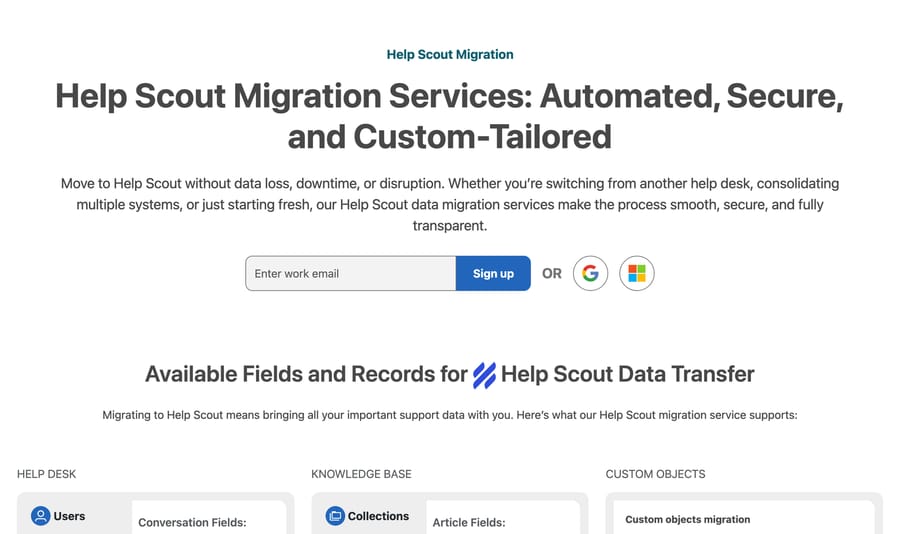
The page also flags a Help Scout quirk worth knowing before you start: Help Scout requires unique agent emails across accounts, so agents with the same email on two accounts won't auto-match. Options include mapping tickets to Inboxes by tag, status or source, newest-first ordering, and tagging imported tickets. Leaving Help Scout, it exports to CSV or JSON with mailbox, tag, date and status filters.
Pricing is per record and gets cheaper with volume. The pricing page gives $100 for 1,000 records and $514 for 10,000 on its free Essential support tier, and comments, notes and attachments aren't counted as records. The free demo moves 20 tickets and 20 articles and can be rerun. Delta migration is on Premium, within 10 days of the full run.
Scores: platform coverage 2, published price 1, test before you pay 2, cutover without downtime 2, reviews 2.
Best for: a team that wants custom fields and Docs articles moved without a sales call, or a team leaving Help Scout.
2. ClonePartner: engineer-run moves into Help Scout, 8/10
ClonePartner's Help Scout page is titled "Migrate to Help Scout" and lists route cards from more than 40 sources, including Zendesk, Freshdesk, Intercom, Front, Gorgias, Gladly, Kustomer, Zoho Desk and Crisp. An engineer owns the mapping. It moves full message history, attachments as real files, contacts with tickets, tags, internal notes and custom fields (mapped, created, or written as notes), with knowledge base articles and workflows optional.
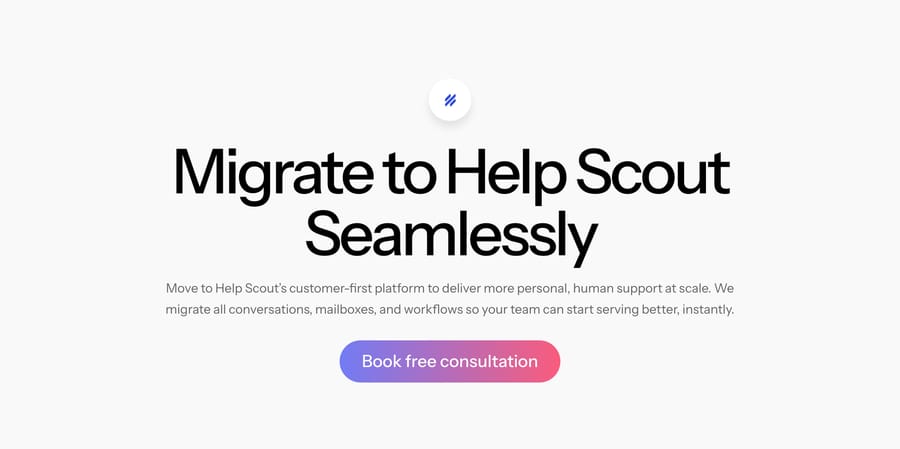
Its Help Scout page is unusually candid about the limits: imported tickets may not keep their original channel (it proposes tags), status-change and assignment history generally isn't imported, long field values and large attachments need agreed handling, and CSAT ratings may have no native home. Sample migrations of a few hundred records come with a verification report. The bulk move runs early, and a final delta sync runs at your switchover time with about a week's notice. Most migrations take 1 to 5 business days.
The page shows no price. In our November 2 dataset ClonePartner's pricing page said migrations start at $500 and most projects fall between $3,000 and $10,000. A quote-priced service earns more on a bigger project, so use the unlimited samples on your messiest conversations before you agree the scope.
Scores: platform coverage 2, published price 1, test before you pay 2, cutover without downtime 2, reviews 1 (G2 4.8 from 19).
Best for: a large or messy history coming into Help Scout where you want someone else to own the mapping.
3. Sanka Migrate: a full price list, both directions, 7/10
Sanka Migrate's Help Scout page has tabs for Migrate to Help Scout and Migrate off Help Scout. It lists tickets and conversations, contacts and organizations, attachments and inline images, the knowledge base, tags, fields and forms, agents, and SLAs and automations. It names the three places Help Scout moves slow down: ticket history and threads, macros and triggers that "won't match your current rules one-to-one," and keeping support running during the move.
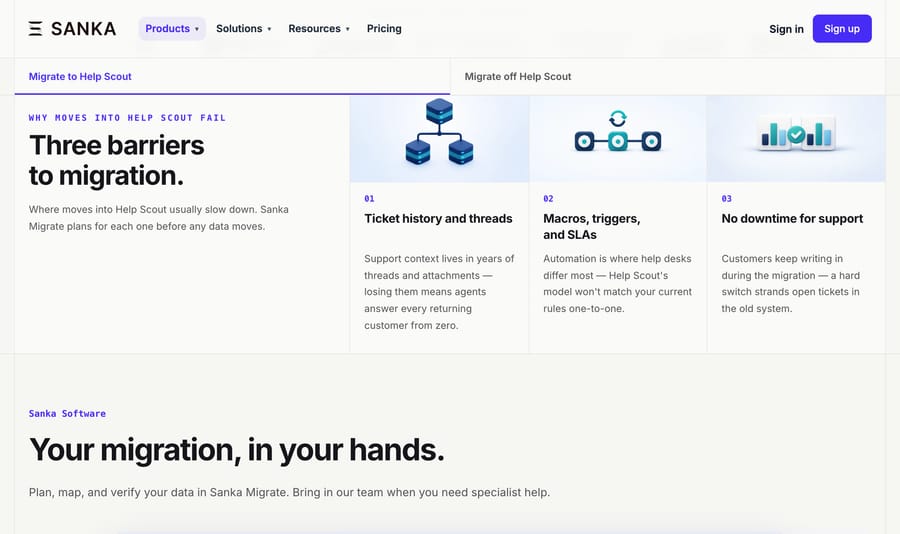
Sanka is the only vendor here with a full per-record price: $0.005 for each record written, with a starter credit that covers up to 2,000 records. The estimate on its Help Scout page puts 10,000 records plus a $300 test add-on, where Sanka's team checks the destination and publishes a test report, at $350. Only successful writes are charged. Its page says "a delta sync carries late changes," but we found no page documenting how the delta works, and no reviews. Sanka also sells its own help desk, which is worth knowing if you're comparing desks at the same time.
Scores: platform coverage 2, published price 2, test before you pay 2, cutover without downtime 1, reviews 0.
Best for: a team that wants a fixed number before it starts.
4. Help Scout's built-in importer (Import2): free, into Help Scout only, 6/10
Help Scout's own import article, updated November 5, 2026, runs through Import2. You start it at Settings > Import Data, pick your old desk, authorize both sides at Import2, run a sample, then the full migration. Account Owners and Administrators on Standard, Plus and Pro can use it. It lists about 30 sources, among them Zendesk, Freshdesk, Intercom, Gorgias, HubSpot, Kustomer and Zoho Desk, plus Gmail and Outlook mailboxes.
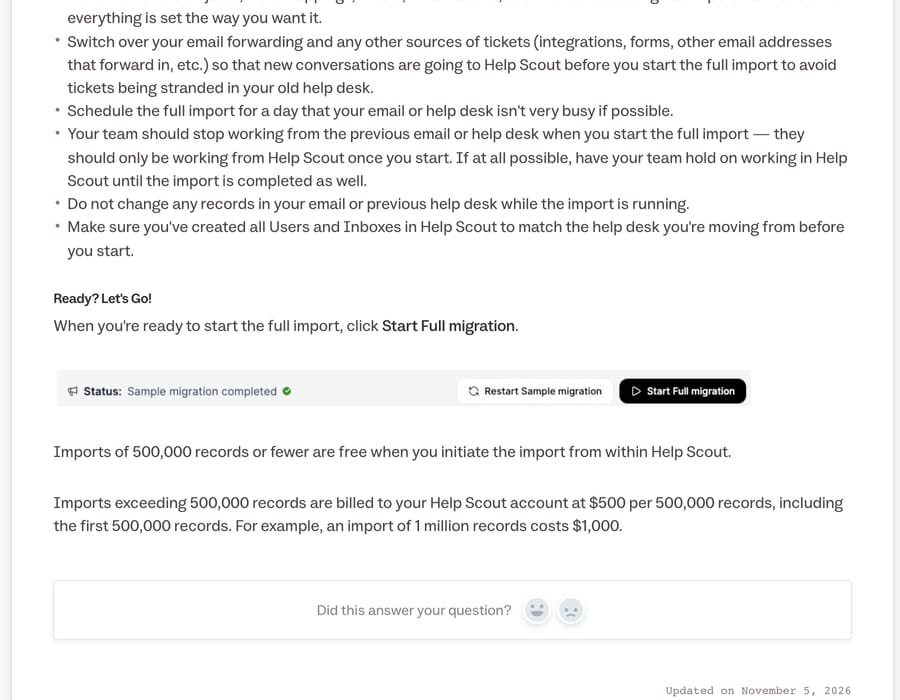
The price is hard to beat: free up to 500,000 records when you start it from inside Help Scout, then $500 per 500,000 counting the first, so 1 million records costs $1,000. The vendor's incentive is plain. A new Help Scout subscription is worth far more than the import, so Help Scout pays for the small ones. The trade-off is scope and cutover. It moves conversations, customer profiles and tags, not custom fields, articles, saved replies or automations. And the same article tells your team to stop working in the old desk when the full import starts and not to change records while it runs, because there's no delta run. Import2's own pricing page offers a money-back guarantee and a reversible sample.
Scores: platform coverage 1 (into Help Scout only), published price 2, test before you pay 2, cutover without downtime 0, reviews 1 (Import2's HubSpot Marketplace listing, 4.3 from 53).
It suits teams with a small or mid-size account and few custom fields. It's the wrong fit if you can't pause support for an afternoon.
5. DataGrine: a free sample, both directions, 6/10
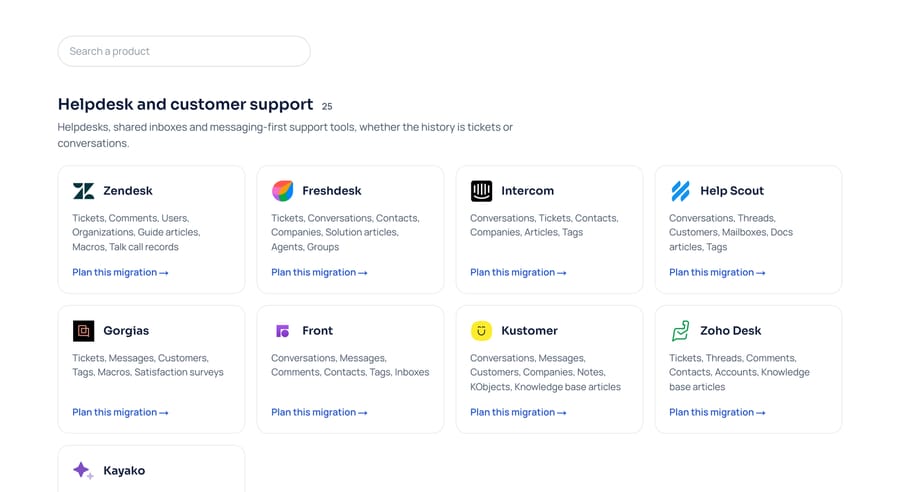
DataGrine's supported-products page has a Help Scout card listing conversations, threads, customers, mailboxes, Docs articles and tags, and it says "any product here can be the one you leave or the one you move to." Its pricing page makes the sample free and fixes the price before anything moves; only companies, contacts, tickets and articles count as records, not replies, notes or attachments. The calculator opens after you enter a work email, and a team-run migration costs the same as self-serve and includes up to 5 full runs and 5 delta syncs.
We found no reviews for DataGrine on G2, Capterra or GetApp in our November 2 dataset. Its supported-products page says Freshdesk, Zendesk and Intercom can be run on the platform with a free Sample, and that other moves are run by its team.
Scores: platform coverage 2, published price 0 (calculator behind an email form), test before you pay 2, cutover without downtime 2, reviews 0.
Best for: a team that wants an engineer-run move at a self-serve price and is happy to test before it hears a number.
6. Klamp Migrate: delta sync, no published price, 3/10
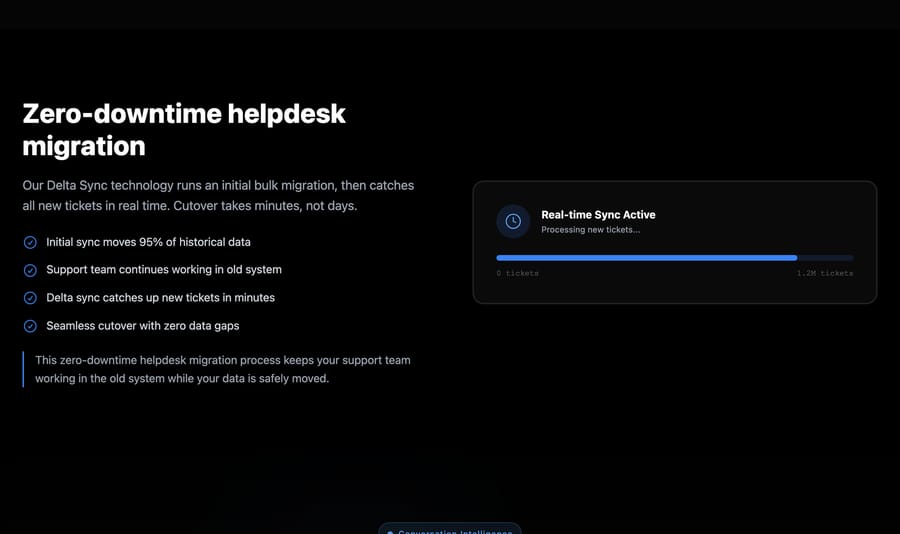
Klamp's helpdesk migration page lists Help Scout among 12 help desks it moves from, and says any of them can be the destination. Its main claim is cutover: "Our Delta Sync technology runs an initial bulk migration, then catches all new tickets in real time." There's no Help Scout-specific page, no published price (it's per record, scoped on a call) and no free sample described on its site.
Scores: platform coverage 1, published price 0, test before you pay 0, cutover without downtime 2, reviews 0.
Best for: a team that already has a Klamp relationship, or that needs the old desk live until the last minute and will pay a quote for it.
Can you migrate to Help Scout yourself with the API?
Yes, if you have an engineer and a good reason. Help Scout's Inbox API creates conversations with threads, customers and tags, and the Docs API creates articles. Help Scout's switching guide points to the Docs API for article transfers and calls it a do-it-yourself project that needs coding knowledge. Two constraints shape the script: API access starts on Standard, and Help Scout's rate limits are per account and count writes double, so a backfill of 50,000 conversations with three threads each is a day of throttled writes, not an hour. Our Help Scout API guide covers the limits and the 429 retry header. For most teams, a free sample from one of the tools above costs less than a day of engineering.
Which tool for which move?
| Your move | First choice | Why |
|---|---|---|
| Into Help Scout, under 500,000 records, few custom fields | Help Scout's importer | Free, built in, sample first |
| Into Help Scout with custom fields and Docs articles, self-serve | Help Desk Migration | Moves both, most reviews, free demo |
| Into Help Scout, large or messy history, done for you | ClonePartner | Engineer-owned mapping, delta at switchover |
| You need a price before you start | Sanka Migrate | Full per-record price list |
| Out of Help Scout to another desk | Help Desk Migration or Sanka Migrate | Both document the export side |
| The old desk must stay live until cutover | ClonePartner, Help Desk Migration or DataGrine | Documented delta runs |
If you're still deciding whether Help Scout is the destination, our Help Scout alternatives guide compares the desks, and the broader help desk migration services roundup covers agencies that bundle migration with setup.
Where does AI fit after the move?
No migration tool moves an AI setup. Help Scout's own AI agent, Scout, is configured from your Docs and website content after the move, so the Docs articles you bring across decide how well it answers on day one. Our Help Scout AI guide covers Scout, AI Drafts and the $0.75-per-resolution billing.
Macha, the AI agent layer we make, runs inside the help desk a team already uses, and it doesn't connect to Help Scout today. If part of your team stays on one of the desks Macha supports, the Macha team analyzes past tickets, builds the agent and runs it in safe mode with drafts as internal notes, at about $0.40 per ticket with setup and a dedicated success manager included. Macha on your help desk lists the desks, and the done-for-you setup page explains the first week.
How we researched this
We scored every tool from its own public pages using the rubric above. Review counts and ClonePartner's price range come from our November 2, 2026 migration-vendor dataset; G2 and Capterra block our fetches, so we didn't re-read them. We re-read Help Scout's import article and switching guide, Help Desk Migration's Help Scout and pricing pages, ClonePartner's Help Scout pages, Sanka Migrate's Help Scout page, DataGrine's supported-products and pricing pages, Klamp's migration page and Import2's pricing page on November 22, 2026, and captured every screenshot that day. We didn't run a migration with any of these tools for this roundup, and no vendor paid to be listed. Sanka also sells a help desk; we scored it as a migration tool only. The 50,000-conversation API example is our own arithmetic.
Common questions
Does Help Scout have a free migration tool?
Yes. Help Scout's importer, run by Import2, is free for imports of 500,000 records or fewer that you start from inside Help Scout, then $500 per 500,000 records. It moves conversations, customer profiles and tags from about 30 help desks, but not custom fields, articles, saved replies or workflows.
Can I import my knowledge base into Help Scout Docs?
Not with Help Scout's built-in importer, which can't import knowledge base content from any provider. Help Desk Migration, Sanka Migrate and DataGrine list Docs articles among what they move, and Help Scout's switching guide points to its Docs API for a custom transfer.
Is there downtime when migrating to Help Scout?
With Help Scout's own importer, plan for a pause: its article tells teams to stop working in the old desk when the full import starts. Tools with a delta run, such as ClonePartner, Help Desk Migration and DataGrine, move the bulk history first and catch late tickets at switchover.
How do I export data out of Help Scout?
Help Desk Migration exports Help Scout data to CSV or JSON, filtered by mailbox, tag, date range and status, and moves it directly into another desk. Sanka Migrate has a Migrate off Help Scout route. For a do-it-yourself export, the Inbox API reads conversations, threads and customers.
How much does a Help Scout migration cost?
Free with Help Scout's importer up to 500,000 records. Help Desk Migration's examples are $100 for 1,000 records and $514 for 10,000. Sanka Migrate charges $0.005 a record. ClonePartner quotes a flat fee; in our November 2 dataset it started at $500 with most projects between $3,000 and $10,000.
Do Help Scout workflows and saved replies migrate?
Not with Help Scout's importer, and mostly not with the paid tools either. Help Scout's switching guide says rules, macros and saved replies aren't transferred. ClonePartner and Sanka offer to rebuild automations as Help Scout workflows during the project; saved replies are usually recreated by hand.