Shopify
 Stripe
 Slack
 Notion
 Google Workspace
 Confluence


Best Crisp Migration Tools (2026): 4 Ranked, Plus Crisp's Own Import Script


The best-scoring Crisp migration tool in November 2026 is Help Desk Migration, at 9 of 10 on our five public criteria, but it moves data out of Crisp only. ClonePartner scores 8 and has a dedicated "Migrate to Crisp" page, and DataGrine and Sanka Migrate tie at 7 and list Crisp in both directions. If you're moving into Crisp on a budget, Crisp's own free import script and help-center importer do much of the job if someone on your team can run Node.
Key takeaways
- Help Desk Migration scores 9 of 10, ClonePartner 8, and DataGrine and Sanka Migrate 7 each, on coverage, published price, free tests, delta runs and reviews.
- Help Desk Migration's Crisp page says Crisp "works as a source only," so it moves tickets, contacts and articles out of Crisp, never into it.
- Crisp's free crisp-import-conversations script on GitHub has adapters for Gorgias, Groove, Help Scout, Tidio, WHMCS and Zendesk exports.
- Crisp's knowledge base importer pulls articles from a public help center URL on 16 platforms, including Zendesk, Intercom, Help Scout, Freshdesk and HubSpot.
- After any migration, triggers, routing rules and any AI agent have to be rebuilt on the new desk, because no tool here moves automations.

The four Crisp migration tools at a glance
| # | Tool | Score | Crisp direction | Price (published) | Free test | Delta run |
|---|---|---|---|---|---|---|
| 1 | Help Desk Migration | 9/10 | Out of Crisp only | $100 for 1,000 records, $514 for 10,000 (examples) | 20 tickets and 20 articles, rerun as often as you like | Yes, within 10 days |
| 2 | ClonePartner | 8/10 | Into Crisp (route pages from 20+ desks) | From $500; most projects $3,000 to $10,000 | Unlimited samples before sign-off | Yes, final delta sync |
| 3 | DataGrine | 7/10 | Both | Per-record quote, fixed before anything moves | 20, 100, 500 or 1,000 of your tickets | Yes |
| 3 | Sanka Migrate | 7/10 | Both | $0.005 a record; $10 starter credit covers up to 2,000 records | Free scans and dry runs | Delta sync mentioned, not documented |
Scores and prices come from our November 2, 2026 dataset of migration vendors, scored from their own pricing, demo, delta and platform pages; we re-read each vendor's Crisp page on November 21, 2026.
How did we rank them?
We used the same rubric as our other migration roundups, including our Intercom migration tools and Freshdesk migration tools rankings, and our head-to-head of the four biggest vendors. Each criterion is 0 to 2.
- Platform coverage: 2 = a public list of 15+ help desks it moves data out of AND into; 1 = 5 to 14, or one direction only; 0 = fewer than 5 or no public list.
- Published price: 2 = a price calculator or full price list on its site; 1 = a "from" price or a free tier only; 0 = contact sales.
- Test before you pay: 2 = a free demo or test migration on your own data, documented; 1 = paid or limited sample; 0 = none documented.
- Cutover without downtime: 2 = documented delta or incremental migration (records created during the move are carried over); 1 = mentioned without docs; 0 = not offered.
- Reviews: 2 = average 4.5+ with 50+ reviews on G2, Capterra or a help desk marketplace (the largest one); 1 = 4.0+ with 10+; 0 = fewer or none.
Ties go to more reviews, then alphabetical. We only ranked vendors that name Crisp on a public page. Platform coverage scores the vendor's whole list, so a tool can score 2 there and still handle Crisp in one direction only. The direction column above is the Crisp-specific fact, and for your move it decides more than the total does.
What moves into or out of Crisp, and what stays behind?
Crisp is a conversation-first inbox, so its data has a different shape from a ticketing desk's. Crisp's own Zendesk move guide, updated October 26, 2026, describes the shift as moving from tickets to conversations, with ticketing as an optional add-on. Our Crisp vs Zendesk comparison covers what that difference means day to day.
| Data | Moves with a tool or Crisp's importers? | Notes |
|---|---|---|
| Conversations and messages | Yes | Imported history shows in the Crisp inbox, not in the customer's chatbox |
| Contacts (people profiles) | Yes | Help Desk Migration says Crisp's API doesn't expose contact tags or custom fields on the way out |
| Knowledge base articles | Yes | Crisp imports from a public help center URL; review images, tables and embeds after |
| Macros | Partly | Become Crisp message shortcuts, recreated by hand or imported from CSV |
| Triggers, automations, routing rules | No | Rebuilt by hand on the destination |
| AI agent setup (Hugo, Fin, any third-party agent) | No | Instructions, knowledge sources and tools are rebuilt |
| Companies | Out of Crisp: no | Help Desk Migration lists no Company records for Crisp |
Which tools move data into or out of Crisp?
1. Help Desk Migration: the most reviewed, for leaving Crisp, 9/10
Help Desk Migration (by Relokia) has the largest platform list in our dataset, 106 sources and 56 targets by name, and the most reviews: G2 4.9 from 186 when we read it on November 2. Its Crisp page is explicit that "Crisp works as a source only, so this connection is one-directional." Out of Crisp it moves tickets with their conversation history, contacts with phone numbers, and knowledge base articles with inline images and attachments. It notes Crisp's API doesn't expose contact tags, contact custom fields or article tags, and that Company records don't transfer.
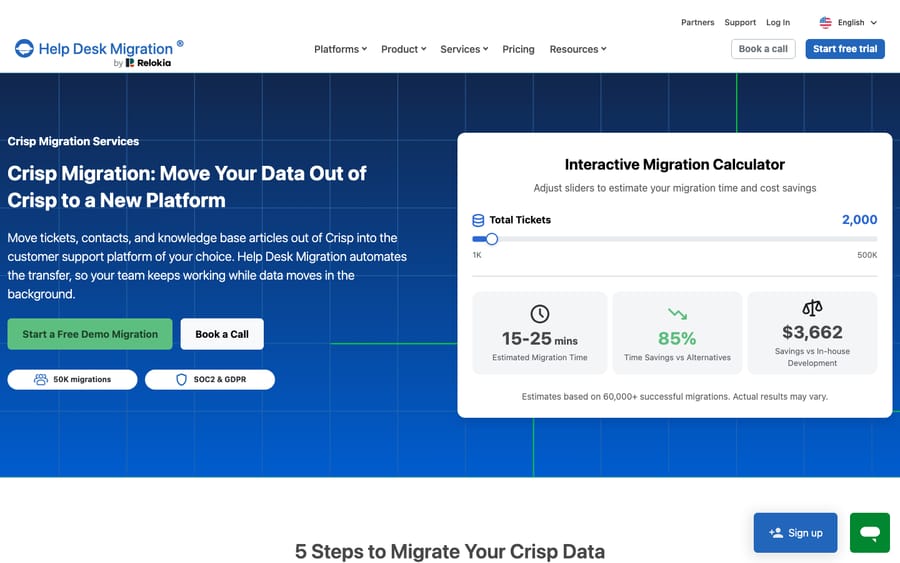
The free Demo moves up to 20 tickets with their related records plus 20 articles, and you can rerun it. Crisp-specific options include migrating newest tickets first, so this month's conversations land on the new desk before the backlog, and skipping attachments to speed up a large move. Pricing is per record and gets cheaper with volume: the pricing page's examples are $100 for 1,000 records and $514 for 10,000. A paid Delta Migration carries tickets created or updated after the full run started, if you start it within 10 days.
Scores: platform coverage 2, published price 1, test before you pay 2, cutover without downtime 2, reviews 2.
Best for: a team leaving Crisp for a ticketing desk that wants the most-reviewed self-serve tool.
2. ClonePartner: engineer-run moves into Crisp, 8/10
ClonePartner is a service as much as a tool: its engineers run the migration. Its Crisp page is titled "Migrate to Crisp" and lists route cards into Crisp from more than 20 desks, among them Zendesk, Intercom, Help Scout, Freshdesk, Front, Gorgias, Gladly, Zoho Desk and Freshchat. Its pricing page offers unlimited free sample migrations until you sign off, a final delta sync to catch data created during the move, and prices from $500 for clean data under 10,000 records, with most projects between $3,000 and $10,000.
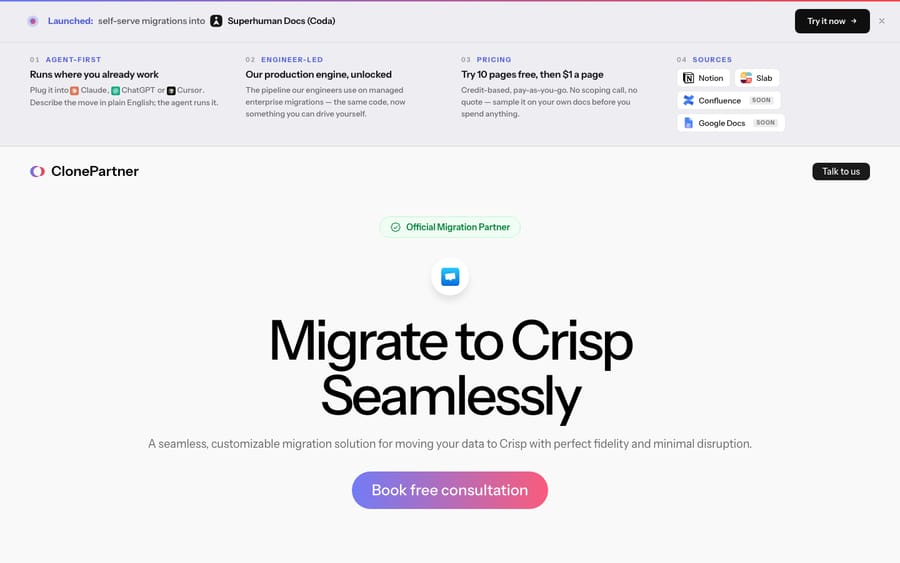
Reviews hold it back a point: G2 4.8 from 19 reviews on November 2. A quote-priced service's incentive is a bigger project, so the unlimited free samples are what keep the scope honest; run one on your messiest conversations before you agree a price.
Scores: platform coverage 2, published price 1, test before you pay 2, cutover without downtime 2, reviews 1.
Best for: a team moving a few years of Zendesk, Intercom or Help Scout history into Crisp that wants engineers to own the mapping.
3. DataGrine: a free sample of up to 1,000 tickets, both directions, 7/10
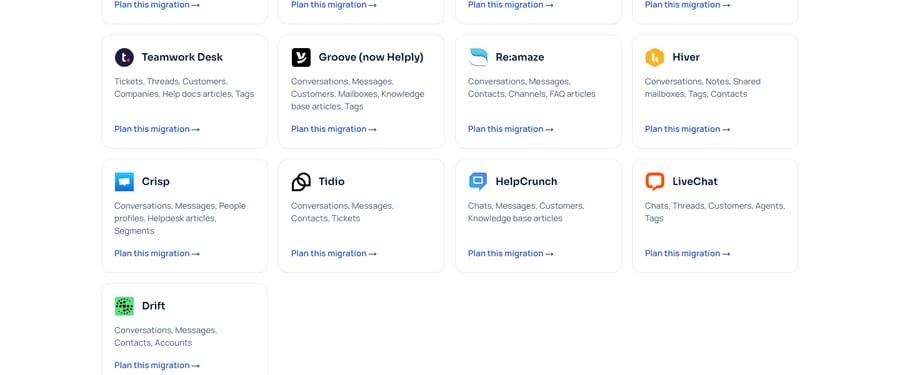
DataGrine's supported-products list has a Crisp row covering conversations, messages, people profiles, help desk articles and segments, and the list says any product on it can be the one you leave or the one you move to. Its pricing page says a sample migration of your own records is free and that after that "the price depends on how many records move" and whether you run it yourself or have its team do it, fixed before anything moves; the calculator now sits behind an email form. The FAQ offers a free sample of 20, 100, 500 or 1,000 of your own tickets, and a delta run at cut-over carries what was created or changed since. We found no reviews on G2, Capterra or GetApp. Its score comes from our November 2 dataset, when DataGrine published free migrations up to 500,000 records; on its November 21 pages the published-price criterion would score 0, for a total of 6. There's no dedicated Crisp page, just the row and a "Plan this migration" link.
Scores: platform coverage 2, published price 1, test before you pay 2, cutover without downtime 2, reviews 0.
Best for: a Crisp workspace that wants to check a large free sample of its own tickets before it pays anything.
3. Sanka Migrate: a price list and a calculator, 7/10
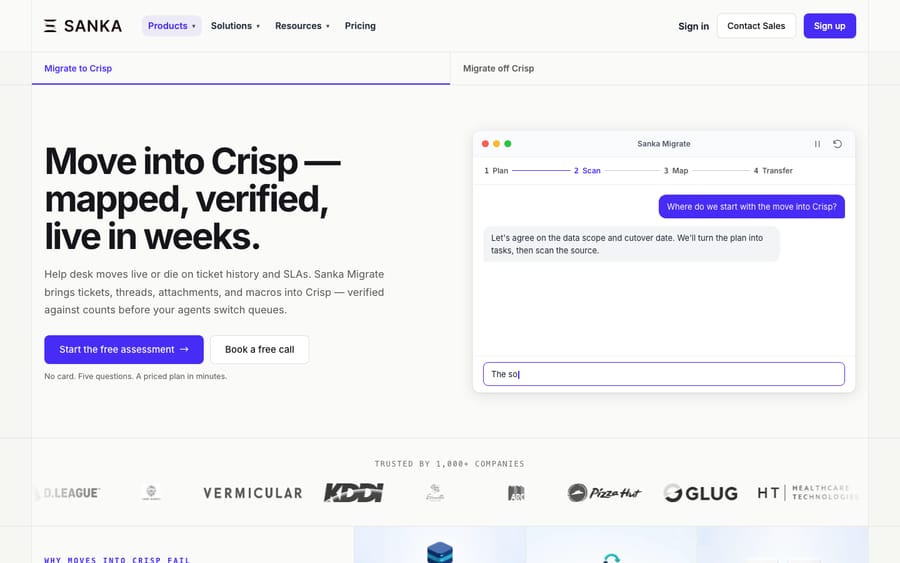
Sanka Migrate's Crisp page covers both "Migrate to Crisp" and "Migrate off Crisp," and it names the three places Crisp moves slow down: ticket history and threads, macros and triggers that won't map one-to-one onto Crisp, and avoiding downtime. It's the only vendor here with a full per-record price list: $0.005 for each record written, with a $10 starter credit (1,000 credits) that covers up to 2,000 records. The estimate on its Crisp page puts 10,000 records plus a test add-on, where Sanka's team checks the destination and publishes a test report, at $350. Scans and dry runs are free. Its Crisp FAQ says "a delta sync carries late changes" while the old system keeps running, but we found no page documenting how the delta works, and we found no reviews.
Scores: platform coverage 2, published price 2, test before you pay 2, cutover without downtime 1, reviews 0.
Best for: a team that wants a fixed number before it starts.
What does Crisp offer for importing data itself?
Crisp's own tools cover more than most desks' do, but they ask more of you.
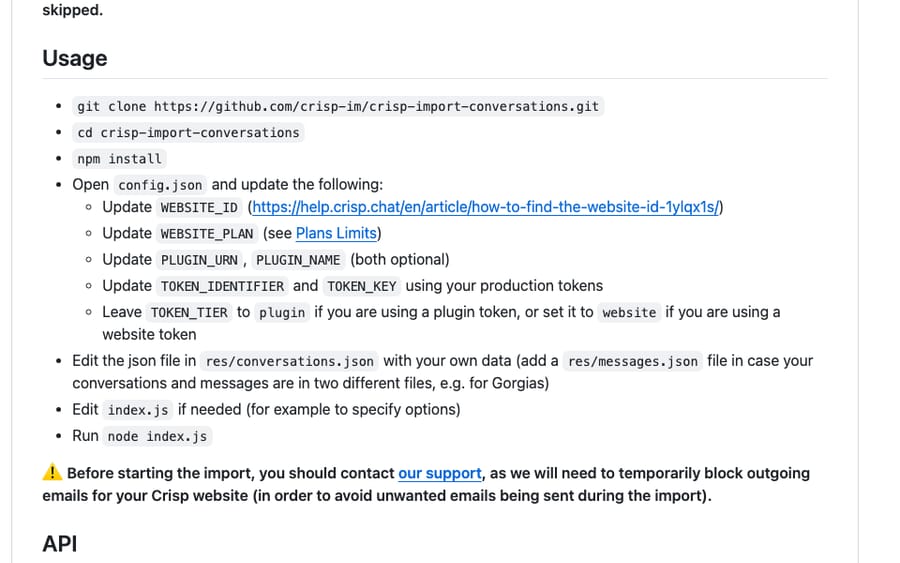
Conversations: the crisp-import-conversations script. Crisp maintains a free, open-source import script on GitHub, last updated May 11, 2026. You export conversations from your old desk, point the script at the file, and it creates them in Crisp through the API. It ships adapters for Gorgias, Groove, Help Scout, Tidio, WHMCS and Zendesk exports, and the README warns that "provided adapters may break anytime." There's no adapter for Intercom, Freshdesk or Front, so those exports need reshaping into the format the script expects, or one of the vendors above. It runs on every Crisp plan with limits: Free can't import internal notes and allows one extra participant per conversation, Mini allows three, Essentials and Plus allow ten. Before you run it, Crisp asks you to contact support so it can block outgoing emails from your workspace during the import, and large imports need a production API token with a raised quota.
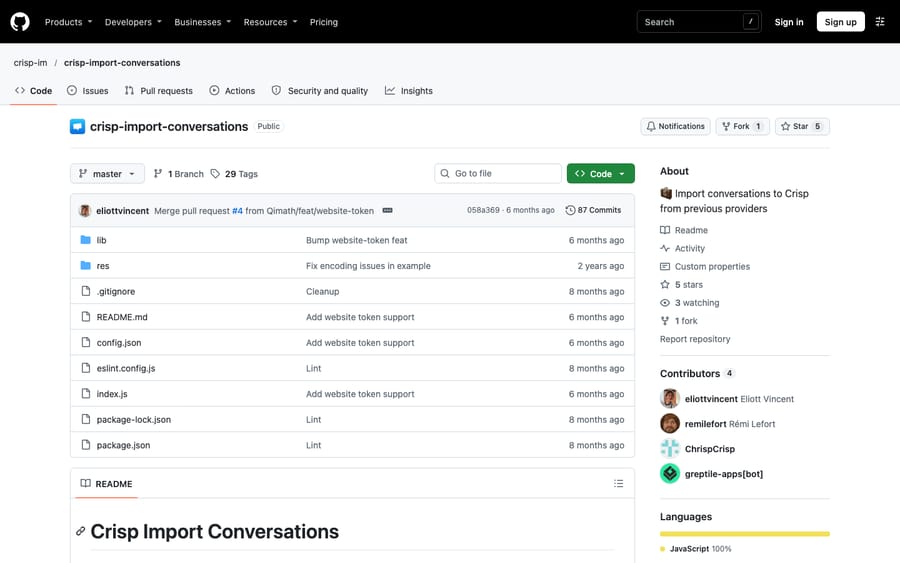
Knowledge base: import from a URL. Crisp's helpdesk import article, updated October 26, 2026, imports articles from a public help center on 16 platforms, including Zendesk, Intercom, Help Scout, Freshdesk, Front, Gorgias, HubSpot, Helpjuice and LiveAgent. The source has to be public, each language imports from its own URL, and you should review videos, embeds, tables and links afterward.
Contacts and shortcuts. Contact profiles import from a CSV under Contacts, and Crisp suggests importing them first so operators recognize customers from day one. Zendesk macros become message shortcuts, recreated by hand or imported from CSV.
Getting data out. The Crisp Marketplace's plugin data lists User Export, which exports visitor emails to CSV, on Essentials and Plus, and Briskport, which exports Crisp data to your own warehouse, at $50 a month; and the REST API reads everything else (our Crisp API guide covers the endpoints and tokens). For a full move off Crisp, the tools above are less work.
How do you migrate to Crisp, step by step?
The order matters more than the tool, because Crisp links imported conversations to people profiles that already exist. Crisp's own guides and the vendors above agree on this sequence:
- Contacts first. Import people profiles from a CSV under Contacts, so imported conversations attach to the right customer and operators recognize them on day one.
- Help center articles. Run Crisp's knowledge base importer against your old help center's public URL, one language at a time, and fix tables, embeds and links.
- Message shortcuts. Recreate your macros as shortcuts, or import them from CSV.
- Tell Crisp support before the conversation import. Crisp asks you to contact support so it can block outgoing emails from your workspace while history is imported.
- Conversations. Run the import script or your vendor's full migration, oldest history first or newest first depending on the tool.
- Final delta. Carry over conversations that arrived during the import, with a vendor's delta run or a second pass of the script with resume on.
- Swap the chatbox code on your site and switch email forwarding, so new conversations start in Crisp.
Is it easy to move from Help Scout to Crisp?
It comes up on Reddit. When Help Scout changed its pricing in 2025, several replies in an r/SaaS thread suggested Crisp as the cheaper landing spot, and one person asked directly whether it was easy to migrate to Crisp from Help Scout. The honest answer from the public docs: Crisp's import script has a Help Scout adapter for conversations, Crisp's importer pulls Help Scout Docs articles from their public URL, and contacts come in by CSV. ClonePartner, DataGrine and Sanka Migrate all list Help Scout to Crisp if you'd rather pay someone. Help Scout workflows don't move and have to be rebuilt, and Crisp's conversation-first inbox will feel different from Help Scout's mailboxes for the first couple of weeks.
Which tool for which move?
| Your move | First choice | Why |
|---|---|---|
| Out of Crisp to Zendesk, Freshdesk or another ticketing desk | Help Desk Migration | Most reviews, documented Crisp limits, newest-first option |
| Into Crisp, a large history, you want it done for you | ClonePartner | Engineers run it, unlimited samples |
| Into Crisp from Help Scout, Zendesk or Gorgias, technical team, no budget | Crisp's import script plus the KB importer | Free, maintained by Crisp |
| Either direction, you want to test a big sample first | DataGrine | Free sample of up to 1,000 tickets |
| Either direction, you need a quote before you start | Sanka Migrate | Public price list and calculator |
If you're still choosing where to go, our Crisp alternatives guide compares the desks, our Crisp vs Intercom comparison covers the most common move in either direction, and the broader help desk migration services roundup covers agencies.
What we check when a help desk reaches us right after a migration
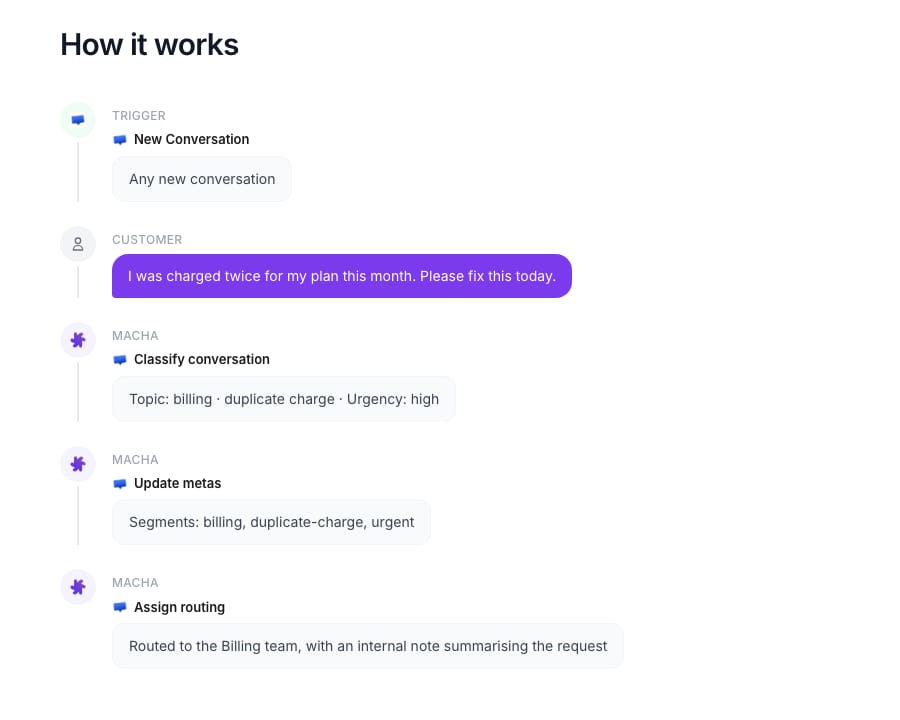
When a team connects a desk to Macha straight after a move, the first job is checking that the history the agent will learn from survived the trip. We look at about a month of past conversations and classify them by category, so a migration that dropped messages or merged threads shows up as categories that don't make sense. We check which fields and segments exist on the new desk, because routing instructions refer to them by name, and a Zendesk tag that became a Crisp segment needs the new name in the agent's instructions. We rebuild any trigger that started the agent, on Crisp that's a new conversation or a new customer message, and we confirm that drafts land as internal notes before anything reaches a customer. Knowledge base articles imported from a URL get read too, since an article whose table or embed didn't survive will produce a wrong answer the first time someone asks about it.
Where does AI fit after the move?
No migration tool here moves an AI agent. Hugo's instructions, Fin's settings or a third-party agent's prompts and tools have to be rebuilt on the destination, and the agent should be retested on real conversations from the new desk before it answers anyone. Macha runs inside the desk you land on, on Crisp or any of Zendesk, Freshdesk, Gorgias, Front, Gladly, Crisp, HubSpot or Intercom, and the Macha team does that rebuild: it analyzes your past conversations, builds the knowledge base and the agent, tests it, and runs it in safe mode with drafts as internal notes. That's included on the trial and every plan at about $0.40 per ticket, with a dedicated success manager after go-live. On Crisp the agent replies, adds internal notes, sets segments, changes state and assigns conversations. It suits teams that just finished a migration and don't have the hours to rebuild and retest an AI agent as well. See how Macha works on Crisp, the Crisp connector's tools, pricing or the done-for-you setup. Our Crisp AI explainer covers what rebuilding Hugo involves if you're moving to Crisp and want its native agent.
Common questions
Can I migrate from Zendesk to Crisp?
Yes. Crisp's free import script has a Zendesk adapter for conversations, Crisp's importer pulls Zendesk help center articles from their public URL, and macros become message shortcuts. ClonePartner, DataGrine and Sanka Migrate all list Zendesk to Crisp as a paid or free service.
Can Help Desk Migration move data into Crisp?
No. Its Crisp page says Crisp "works as a source only," so it moves tickets, contacts and knowledge base articles out of Crisp to another desk. For moves into Crisp, use ClonePartner, DataGrine, Sanka Migrate or Crisp's own script.
How do I export my conversations from Crisp?
Through the Crisp REST API, or with a migration tool that reads Crisp as a source, such as Help Desk Migration, DataGrine or Sanka Migrate. Crisp's User Export plugin exports visitor emails only, and Briskport, listed in the Crisp Marketplace at $50 a month, exports Crisp data to your own warehouse.
Is Crisp's import script free?
Yes. crisp-import-conversations is open source on GitHub and works on every Crisp plan, though the Free plan can't import internal notes. You need to run it yourself in Node, and Crisp asks you to contact support first so it can pause outgoing emails during the import.
Do Crisp triggers and Hugo settings migrate?
No tool we checked moves automations or AI settings. Triggers, routing rules, Hugo's instructions and any third-party agent are rebuilt on the destination.
How much does a Crisp migration cost?
From free (Crisp's script, or DataGrine's free sample before its quoted price) to $350 for 10,000 records with a test add-on in Sanka's Crisp-page estimate, $514 for 10,000 records on Help Desk Migration's, and $500 and up on ClonePartner, where most projects land between $3,000 and $10,000.
<div class="docs-callout"><div><p class="docs-callout-title">Are you listed here?</p><p class="docs-callout-body">Migration vendors can send corrections or a Crisp page we missed, with a public source, to [email protected]. We fix facts within a week. Scores follow the rubric above, not requests.</p></div></div>
How we researched this
We started from our November 2, 2026 dataset of seven migration vendors, scored on the rubric above from their own pricing, demo, delta and platform pages, with reviews read on G2, Capterra and help desk marketplaces the same day. We kept the four that name Crisp publicly and checked each one's Crisp page or Crisp row again on November 21, 2026; SyncMatters, Import2 and Klamp Migrate don't list Crisp. Crisp's own options come from its GitHub repository and help center articles read on November 21. Scores match the ones these vendors get in our other migration roundups. We didn't run a migration with any tool or contact any vendor; the "What we check" section describes how the Macha team onboards a desk, not a specific customer.
If you're landing on Crisp and want AI on it from week one, start a trial: you connect Crisp with an API token and the Macha team builds the agent.