Intercom
 Shopify
 Stripe
 Slack
Slack Notion
 Google Workspace
 Confluence

How Do You Set Up Multiple Brands in Freshdesk? Multiple Products, Portals, Emails and SLAs (2026)


Freshdesk runs several brands from one account through Multiple Products, which allows 5 products on the Pro plan, unlimited on Enterprise, and none on Growth. Each product gets its own support email, branded portal, knowledge-base space and SLA targets, while agents keep working in one inbox.
Key takeaways
- Freshdesk's Multiple Products feature allows up to 5 products on the Pro plan and unlimited products on Enterprise, and the Growth plan does not include it at all.
- Creating a Freshdesk product requires a new Product Support Email at creation time, and agents see tickets from every product until you restrict them through groups and ticket scope.
- Freshdesk allows up to 50 ticket forms per account at Admin, Workflows, Ticket Forms, and multiple forms need Pro or above, the same gate as Multiple Products.
- Freshdesk SLA policies target brands through the Apply this SLA to setting, and because the first matching policy wins, brand-specific policies belong above any catch-all policy.
- A sixth Freshdesk brand forces the move from Pro at $55 to Enterprise at $89 per agent a month, which costs a 15-agent desk $6,120 a year.
Freshdesk runs several brands from one account through a feature called Multiple Products, at Admin › Support Operations › Multiple Products: up to 5 products on Pro ($55 per agent a month billed annually), unlimited on Enterprise ($89), and not at all on Growth. Each product gets its own support email, branded portal, knowledge-base space and SLA targets, while agents keep working in one inbox.
| Per-brand piece | Where you set it | Limit or gate |
|---|---|---|
| Product (brand) | Admin › Support Operations › Multiple Products | 5 on Pro, unlimited on Enterprise, none on Growth |
| Support email | Product Support Email, when you create the product | Mandatory at creation |
| Portal and URL | Enable Portal, then Admin › Channels › Portals | One portal per product, CNAME for the brand domain |
| Knowledge base | Solutions, product switcher; Visible In Portal per category | One space per product |
| Ticket forms | Admin › Workflows › Ticket Forms | Up to 50 forms, Pro and above |
| SLA policy | Admin › Workflows › SLA policies, Apply this SLA to | First matching policy wins |
| Agent visibility | Groups and agent ticket scope | Unrestricted by default |
The thing to decide before you build anything: customers should experience separate brands, and your team should experience one help desk. Freshworks puts it plainly: "you can have separate portals for each of your products, without creating and paying for more accounts", but also warns that "unless segregated by automation rules, agents can see tickets from all products in their ticket view." Separation on the customer side is configuration. Separation on the agent side is work you do yourself.
Which Freshdesk plans include Multiple Products?
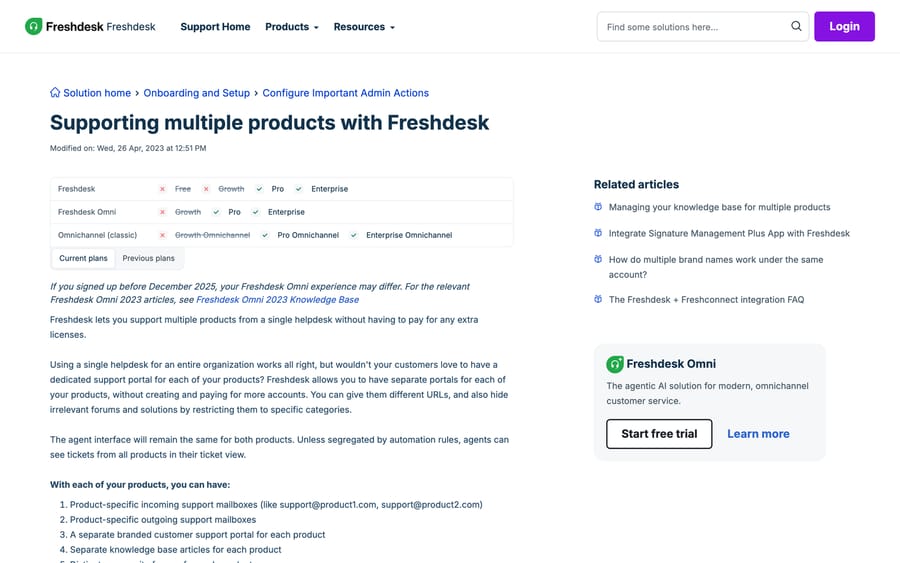
Multiple Products is Pro and Enterprise on both Freshdesk and Freshdesk Omni. Growth is crossed out. Pro allows up to 5 products; Enterprise is unlimited. On Freshworks' pricing page that is $55 against $89 per agent a month billed annually, so the sixth brand costs you $34 a seat a month across the whole team. For a 15-agent desk that's $6,120 a year, and Freshworks' incentive is plain: the brand count is a lever for moving the whole roster up a tier. Worth knowing before someone promises a sixth portal. Our Freshdesk pricing breakdown has the rest of the table.
There is no lower rung. Freshworks' pricing page no longer lists a free plan (a separate Free program covers up to 2 agents for 6 months, and it doesn't include Multiple Products either), so a Growth account that needs two brands is choosing between an upgrade and running two separate Freshdesk accounts. Two accounts means two bills, two agent rosters and no shared reporting. That's almost always worse than the Pro upgrade unless the brands are genuinely different businesses.
If you are on Growth and see a stray Product field, that is this feature leaking. A 2023 Freshworks community thread with 24 replies and about 950 views is full of admins hitting The multi_product feature(s) is/are not supported in your plan. while trying to hide a default "Example" product from their customer-facing form. Freshworks' answer in that thread was to contact support and have the field removed from the account by hand. It is not self-service, so raise a ticket rather than hunting for a setting.
How do you create a product in Freshdesk?
- Go to Admin › Support Operations › Multiple Products.
- Click New Product.
- Enter the Product Name and Description.
- Fill in Product Support Email (a new email address for the product is mandatory) and assign it to the group that should own it.
- Configure the forwarding rule in that mailbox so incoming mail becomes tickets.
- Save.
The mandatory email is the part people trip on. You cannot create a product and decide on its address later; pick the address first. If you are routing through Google Workspace or Microsoft 365, set the forwarding rule up before you save, because tickets created in the gap arrive on the default product. Our guide to configuring email in Freshdesk covers forwarding, SPF and DKIM per mailbox.
With each product you get, in Freshworks' own list: product-specific incoming support mailboxes, product-specific outgoing mailboxes, a separate branded portal, separate knowledge-base articles, and distinct community forums.
How do you give each brand its own portal and URL?
From the same screen, click Enable Portal, enter the Portal URL, and configure the portal settings. Portals can also be edited later at Admin › Channels › Portals.
To make the portal look like the brand rather than like Freshdesk, point a CNAME from the brand's own subdomain (help.brandtwo.com) at your Freshdesk URL. Freshworks describes the outcome as having "multiple brands from a customer's perspective, but all under the same Freshdesk account from an agent's point of view." Each portal takes its own theme, logo and colors. Our walkthroughs of customizing the Freshdesk customer portal and changing your Freshdesk portal URL have the DNS and theme detail.
One login spans the portals. Freshworks' FAQ says multiple portals "will look like two different websites from the customers' point" of view, but that "once a customer is signed up on a portal, he/she can use the same credentials to log into the other portal as well, depending on how the URLs are exposed." If your brands are meant to be unaware of each other, that shared identity is the thing to test first: create a test contact on brand one and try the brand two portal with it.
How do you keep a separate knowledge base per brand?
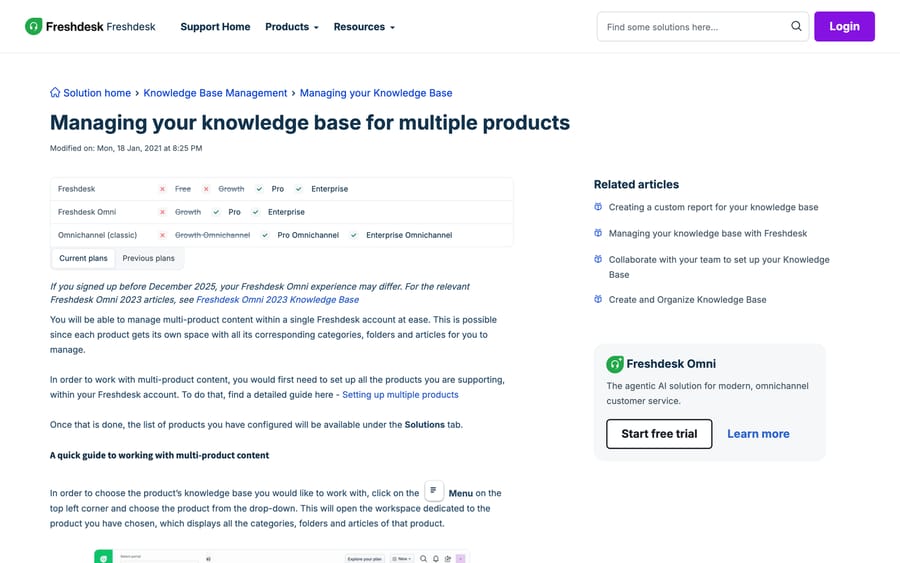
Each product gets "its own space with all its corresponding categories, folders and articles." Switch between them from the Menu at the top left of Solutions and pick the product.
Content that should appear on more than one brand's portal (shipping policy, privacy, security) is handled by the category's Visible In Portal setting: open Solutions › Manage, hover the category, click edit, and choose every product the category should show on. That way one canonical article serves three brands instead of three copies drifting apart. Our Freshdesk knowledge base guide covers category and folder structure.
That article was last modified in January 2021, which is the oldest page in this set. The Visible In Portal control is still where it says it is, but expect the screenshots in it to look nothing like your account.
Can each brand have its own ticket fields and forms?
Freshdesk gives every ticket a Product field automatically once Multiple Products is on, and that field is what the rest of your configuration keys off: automations, views, SLAs and reports all filter on it.
For genuinely different intake per brand, use ticket forms. At Admin › Workflows › Ticket Forms › New form you can build up to 50 forms in an account, and Freshworks' own first example of why you would is "Multiple brands and products."
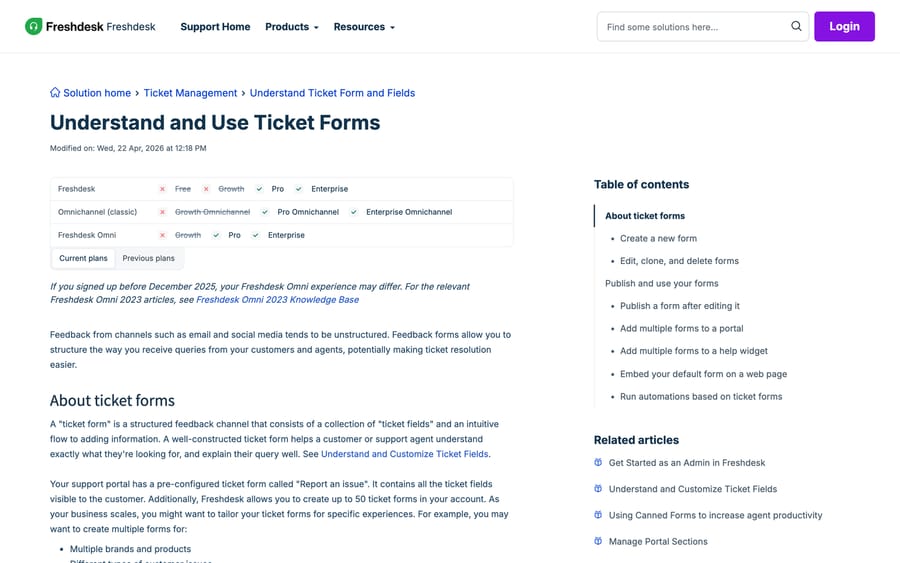
Attach a form to a brand's portal at Admin › Channels › Portals, edit the portal, open Manage sections, and use the Add ticket form dropdown in the Ticket box. Multiple forms need Pro or above, the same gate as Multiple Products, so if you can create products you can create forms. That article was modified in April 2026, making it the freshest page Freshworks has on any of this. Our ticket forms and templates guide covers field-level behavior.
Can each brand have its own SLA?
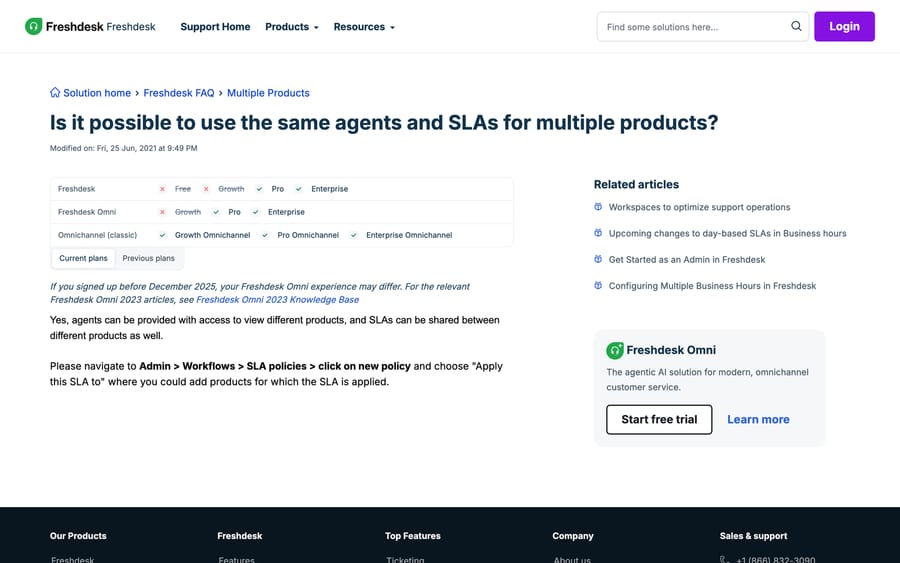
SLA policies target products directly. Go to Admin › Workflows › SLA policies › New policy and set Apply this SLA to to the products it covers. Freshworks' answer to whether agents and SLAs can be shared is one sentence: "Yes, agents can be provided with access to view different products, and SLAs can be shared between different products as well."
So you can give the premium brand four-hour first response and the budget brand next business day, from the same team, with one policy each. Order matters: Freshdesk applies the first matching policy, so put the brand-specific policies above the catch-all. Freshdesk SLA policies explained covers the ordering and business-hours interaction, which is where per-brand SLAs usually go wrong: two brands in two time zones need two business-hours calendars, not one.
How do you send email notifications that carry the right brand?
This is the step most multi-brand rollouts skip, and it is the one customers notice. By default, Freshdesk's email notifications are generic, so a customer of brand two gets a confirmation that reads like brand one.
Freshworks' fix is to disable the default notifications first (its article calls that "imperative") and rebuild them as automation rules at Admin › Workflows › Email Notifications, each with the condition Product is, the action Email to Requester, and product-specific placeholders in the body. It is more work than it sounds, because every notification type you rely on (new ticket, reply, resolved, CSAT) needs its own per-product rule. Budget an afternoon, and send yourself a test from each brand's address before you switch the defaults off for good.
How do you stop agents seeing other brands' tickets?
Here the documentation gives two answers, and both are true of different setups.
The multi-product overview says the agent interface is identical across products and that "unless segregated by automation rules, agents can see tickets from all products in their ticket view."
The FAQ on restricting access says scope follows groups: "The scope of an agent can be based on the groups in the portal," configured at Admin › Team › Agents › edit, with groups tied to products at Admin › Support Operations › Multiple Products.
Reconcile them like this: groups are the mechanism, and by default nothing is restricted. Point each product's support email at its own group, put each agent only in the groups they should serve, and set their ticket scope to group-level. Leave that undone and the default is one shared queue with a Product column. Our Freshdesk groups guide covers scope settings. Test it with a real agent account rather than trusting the configuration screen. On a shared-brand desk the failure mode is an agent replying from the wrong brand's signature, which is exactly the thing multi-brand was bought to prevent.
How we researched this
We read Freshworks' nine help-center articles on Multiple Products, portals, knowledge bases, ticket forms and SLAs in a browser on 21 September 2026, and quoted each one's "Modified on" date in this post. They range from January 2021 to April 2026, which is worth knowing when a screenshot in the docs looks nothing like your account. We do not have a Freshdesk instance, so no product, portal or SLA was created here; where two Freshworks articles disagree, as they do on agent scope, both are quoted rather than one being picked. The community error message is from a public Freshworks thread whose full discussion sits behind a community login.
Frequently asked questions
How many products can I create in Freshdesk? Up to five on the Pro plan, and unlimited on Enterprise. The feature itself is called Multiple Products and lives at Admin › Support Operations › Multiple Products; the Growth plan does not include it, and Freshworks' pricing page no longer lists a free plan.
Does Freshdesk support multiple brands with different URLs? Yes. Each product can have its own portal on its own vanity URL, by pointing a CNAME from the brand's subdomain at your Freshdesk URL. Freshworks describes the result as multiple brands from the customer's point of view, all inside one Freshdesk account from the agent's.
Can each brand have its own support email address? Yes, and it is required rather than optional: creating a product asks for a new Product Support Email, which you then assign to a group and forward to from the brand's mailbox.
Will one customer login work across all my Freshdesk portals? Usually yes. Freshworks' FAQ says that once a customer has signed up on one portal they can use the same credentials on another, depending on how the URLs are exposed. If your brands must not overlap, test that with a real contact before launch.
Can I set a different SLA for each brand? Yes. At Admin › Workflows › SLA policies › New policy, the "Apply this SLA to" setting takes products, so each brand can have its own targets while sharing the same agents. Policies are evaluated in order, so put brand-specific policies above any catch-all.
Can I stop agents seeing other brands' tickets? Only by configuring it. Freshworks' own overview states that agents see tickets from all products unless you segregate them, and the mechanism is groups: assign each product's email to its own group, put agents only in their group, and set their ticket scope accordingly.
How much does a sixth brand cost? The sixth product means moving from Pro at $55 to Enterprise at $89 per agent a month billed annually, so $34 more per seat. A 15-agent desk pays $6,120 a year extra.
How do I send branded email notifications per product? Disable the default notifications first (Freshworks calls that step imperative), then rebuild them at Admin › Workflows › Email Notifications as rules with the condition "Product is", the action "Email to Requester", and product-specific placeholders in the body. Each notification type needs its own per-product rule.
Why do I get "The multi_product feature(s) is/are not supported in your plan"? Because your plan does not include Multiple Products but your account still carries a default Product field, usually showing a sample value. A long Freshworks community thread on this ends with Freshworks support removing the field from the account by hand, so open a ticket rather than looking for a toggle.
Sources:
- Supporting multiple products with Freshdesk: Freshworks help center, modified 26 Apr 2023
- How do I set up multiple products on a portal?
- How do multiple brand names work under the same account?
- How will multiple portals look on the end-user side?
- Is it possible to use the same agents and SLAs for multiple products?, modified 25 Jun 2021
- Is it possible to restrict an agent's access to tickets from one portal only?
- How to send product-based email notifications?
- Managing your knowledge base for multiple products, modified 18 Jan 2021
- Understand and Use Ticket Forms, modified 22 Apr 2026
- Freshdesk pricing, checked 24 Sep 2026
- Freshworks community: Ticket fields - multi product error
Add AI agents to your Freshdesk
Macha reads the ticket, drafts the reply and takes the action, inside the Freshdesk you already run.